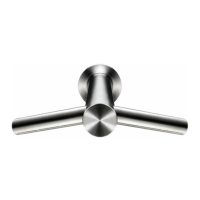
Power supply assembly fitting
01 Slide the new Power supply assembly into place.
02 Tilt the Power supply underneath the communications cable and locate into the Backplate.
Ensure the female connector block clicks into place.
Fit the T-10 screw into the centre of the PCB and the T-15 screw into the connector block.
03 Connect the Comms to PCB loom to the PCB assembly.
Connect the Solenoid to PCB loom assembly to the PCB.
Connect the Live and Neutral wires to the correct terminals of the connector block.
04 Fit the Electrical cover and six T-15 screws.
Refit the remaining components as detailed in steps 16-18 in Section 1 of this manual.
After reassembling the product, turn on the mains water and electricity supply and test the product by
following the instructions on page 2 of this manual.
Air hose/Tap assembly fitting
AB09/10 only:
05 If previously removed, locate the new Tap assembly into the worktop, ensuring that the larger of
the two seals sits on top of the worktop, and the smaller on the underside. Fit and tighten the Tap nut.
All models:
06 Feed the water pipe assembly through the smaller of the two holes in the base of the Air hose
assembly. (Note: pliers may be necessary to aid pulling it through).
Feed the Comms loom assembly through the larger of the two holes.
Important: ensure the grommet is adequately seated within the hole.
AB11 only:
07 Screw the Air hose assembly tight onto the Tap stem.
08 Lower the Tap and Air hose assemblies down into the ducting within the wall.
09 Align the Tap assembly with the four screw holes in the ducting. Fit the four screws.
10 Screw and tighten the Glamour cap onto the Tap stem mount.
All models:
11 Slide the water pipe clip onto the end of the water pipe. Locate the Water pipe assembly fully onto
the Solenoid outlet.
Fit and tighten the Water pipe clip.
12 Connect the Comms loom to the Comms to PCB loom assembly. Dress neatly as shown.
Clip the Hose into the Backplate.
13 Fit the Electrical cover and six T-15 screws.
14 Turn on the mains water supply. Check that there are no leaks at the Solenoid inlet.
Turn on the power to the product. Insert hands under the centre of the tap to activate the water.
Check that there are no leaks at the Solenoid outlet.
Refit the remaining components as detailed in steps 16-18 in Section 1 of this manual.
After reassembling the product follow the instructions on page 2 to test the product for adequate
operation.
Section 2
Air hose/Tap/Power supply assembly fitting
17


 To Next Page
 Loading...