service manual
Fitting notes
21
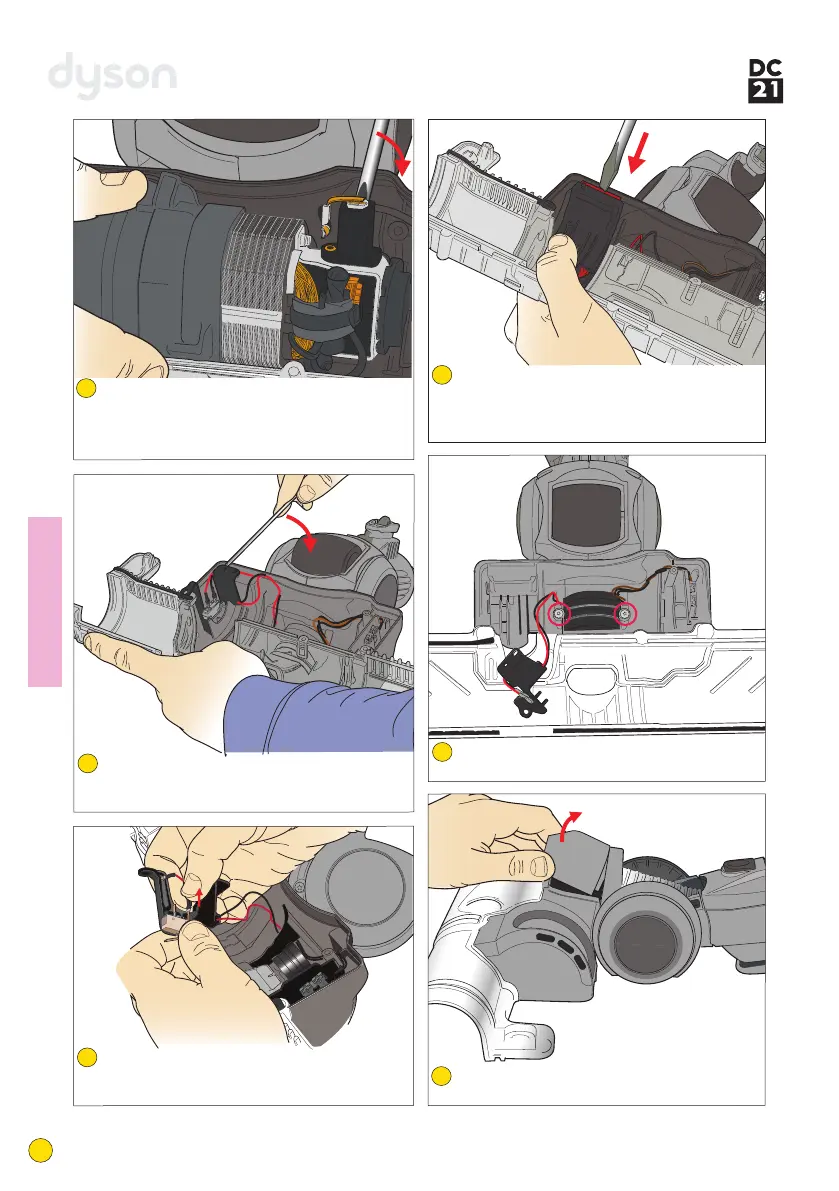
Remove the brushbar motor from the brush
housing.
Note: it may be necessary to use a
screwdriver to carefully ease the motor out.
80
Carefully prise the brushbar microswitch
holder off the retaining peg on the brushbar
motor cover.
81
Carefully detach the wires from the brushbar
microswitch. Remove the switch from the
holder.
82
If the brushbar actuator needs replacing,
release the lip of it firmly from the
brushbar motor cover using a large, flat
bladed screwdriver.
83
Undo the 2 long screws in the underside of
the brushbar motor cover.
84
Lift the gimble cover off the top of the
brushbar motor cover.
85



 To Next Page