service manual
Fitting notes
2120
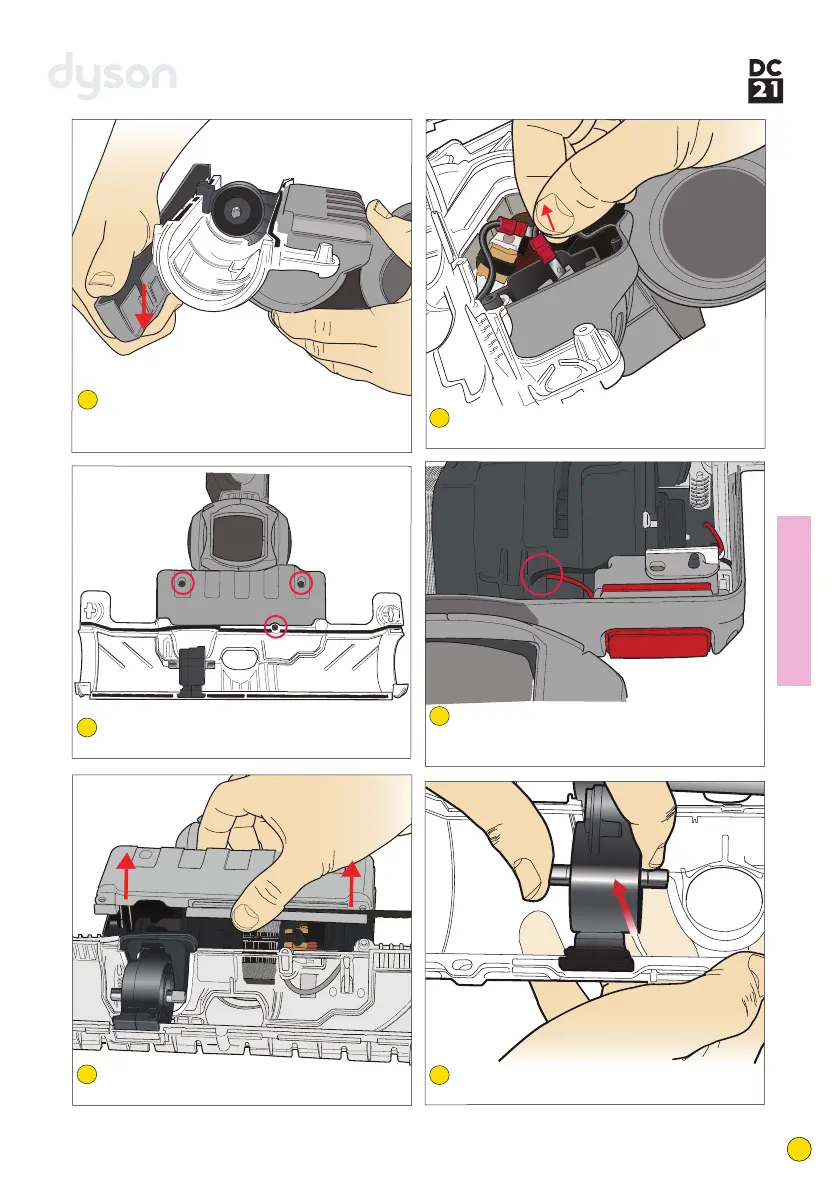
The bumper strip can be replaced by pushing
very firmly away from the front of the brush
housing.
74
Undo the 3 screws in the brushbar motor
cover lower.
75
Lift the brushbar motor cover lower off the
brushbar motor cover.
76
Disconnect the 2 brushbar motor wires from
the connectors.
77
Carefully release the brushbar microswitch
loom from the rubber retainer on the rear of
the brushbar motor.
78
Release the brushbar motor from the
brushbar motor front mount.
79



 To Next Page