16
R
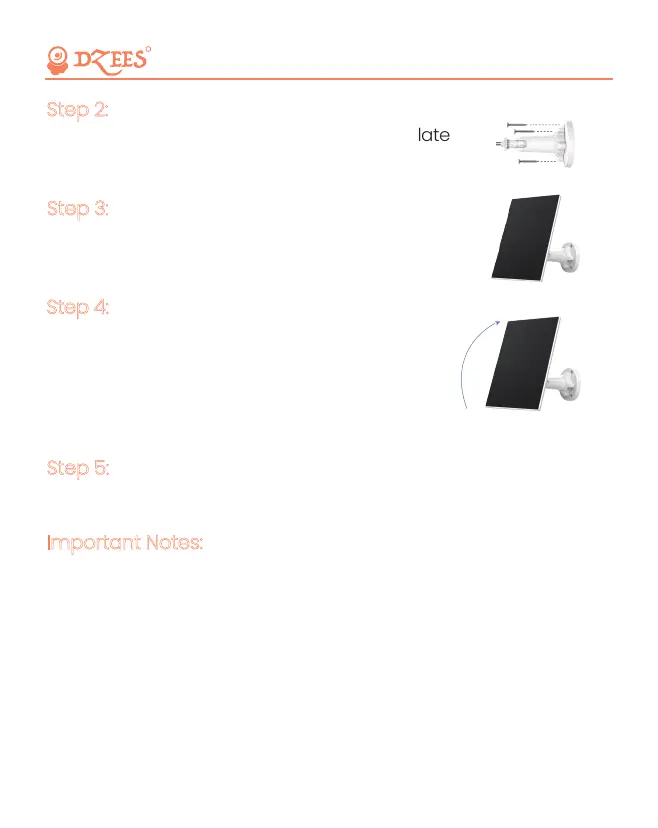
Mount the bracket with the mounting template
and the screws provided in the package.
Step 2:
Slot the solar panel into the bracket and make
sure it's secure.
Step 3:
Loosen the adjusting control on the bracket
and adjust the angle of the solar panel to
make it receive direct sunlight, and then
retighten the adjusting control to secure
your setting.
Step 4:
360°
Connect the solar panel to the camera with the micro USB cable.
Step 5:
1. Make sure that there is NO blocking on the solar panel.
The energy harvesting efficiency drops drastically even when a small
portion of the solar panel is blocked.
2. Please don’t install the solar panel completely horizontally.
Otherwise, your solar panel might accumulate dust and other debris
easily. It's advised to install the solar panel angularly to make it
receive direct sunlight.
3. Wipe the solar panel regularly to remove the dust or debris.
Important Notes:
Safe, Convenient, and Scientific


 To Next Page