23
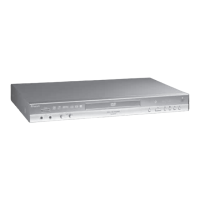
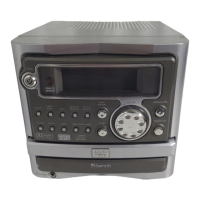
KH 2370
of all stop the playback by pressing the STOP button
twice.
2 Press the SETUP button to display the OSD menu on
the television screen.
3 Select the main menu item PREFERENCES using the
control buttons. Then press the ENTER button.
4 Select DEFAULTS in the list of the subitems.
5 Change to the only option RESET with the right control
button.
6 Press the ENTER button. The combination unit will now
be set back to the settings made in the factory.
Switching o the combination unit
To switch o the combination unit
1 If a disc which has been inserted into the combination
unit is being played back, rst of all stop the playback
by pressing the STOP button twice.
2 Open the disc tray to remove any disc inserted into the
combination unit by pressing the OPEN/CLOSE button.
Then close the disc tray by pressing the OPEN/CLOSE
button once more.
3 To switch o the combination unit, press the POWER
button.
Radio mode
To switch on the radio section of the combination unit:
1
Switch on the combination unit with the POWER button.
2 Press the TUNER/BAND button to change the combina-
tion unit to radio mode.
3 Press the TUNER/BAND button again to select the AM
band (medium wave).
Press the TUNER/BAND button once more to select the
FM band (very high frequency).
4 Use the SKIP forwards and SKIP backwards buttons to
set a radio station in the selected band.
Saving radio station
To save a previously selected radio station:
5 Press the MEMORY button.
6 00 ashes in the display. Select a memory slot for the
radio station with the number buttons 0 to 9.
You can enter a memory slot number between 1 and
40. Two-digit memory slot numbers can be entered
with the 10+ button and the number buttons 0 to 9.
Example: If you would like to select the memory slot
number 21, press twice on the 10+ button. Then press
the number button 1.
7 Repeat the steps 4 to 6 to save other radio stations.
To pick up radio stations:
1
Switch on the combination unit with the POWER button.
2 Press the TUNER/BAND button to change the combina-
tion unit to radio mode.
3
Press the TUNER/BAND button again to select the AM
band (medium wave). Press the TUNER/BAND button
once more to select the FM band (very high frequency).
4 To call up a saved radio station:
• With the radio section switched on, press the number
button corresponding to the memory slot number or
• Use the PAUSE/MEM UP or REPEAT/MEM DN buttons
to switch through the memory slot numbers one after
the other.
Improving the reception of FM/very
high frequency radio stations
To improve the reception of radio stations in the FM/VHF
band: Unwind the dipole antenna on the back of the com-
bination unit to its full length. Hold the end of the dipole
antenna slowly in dierent directions. Once you have
found a good reception for the input radio station in this
manner: Fix the dipole antenna in this position, e. g. with a
piece of adhesive tape.
Improving the reception of AM/medium
wave radio stations
To improve the reception of radio stations in the AM/
medium wave band: Turn the loop antenna connected to
the combination unit slowly in dierent directions. Once
you have found a good reception for the input radio station
in this manner: Set up the loop antenna in this position.


 To Next Page