Need help?
Do you have a question about the E.F. Johnson Company Ascend and is the answer not in the manual?
Information on RF exposure and FCC guidelines for occupational use.
Details on compliance with national and international RF exposure standards.
Guidelines and operating instructions for controlling RF exposure.
Contact details for EFJohnson Technologies customer service for support.
Lists programmable operating modes and general radio features.
Details specific features for conventional operating mode.
Lists features available for SMARTNET/SmartZone trunked operation.
Details features for Project 25 trunked operation.
Lists features for Multi-Net trunked operation.
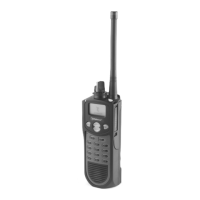
Details the controls located on the front panel of the radio.
Describes controls and indicators on the top panel of the radio.
Explains the controls and connectors on the side of the radio.
Details the radio's display capabilities and modes.
Describes the layout of the standard portable radio display.
Explains the enhanced display mode functionality.
Lists and describes the icons displayed on the radio.
Information on signal tones and alerts used by the radio.
Instructions for powering the radio on and adjusting volume.
Information on using a power-up password for security.
How to select zones and channels on the radio.
Explains the process of selecting a zone on the radio.
Details how to select channels using the rotary switch.
Explains how to directly select zones and channels.
Feature to set up and manage favorite channels.
Information on battery and accessory connections.
Instructions for removing and installing the radio battery.
Feature to temporarily disable keypad to prevent accidental presses.
How to adjust the squelch setting on conventional analog channels.
Overview of different radio operating modes.
Details about the conventional operating mode.
Explains the SMARTNET/SmartZone trunked operating mode.
Details about the P25 trunked operating mode.
Explains the Multi-Net trunked operating mode.
Describes the relationship between systems, channels, and zones.
How to view radio information such as firmware version and ESN.
Details how keys and buttons can be programmed for different functions.
How function buttons can be used to enable/disable features.
How to navigate and use the radio's menu mode.
Timer to prevent continuous transmission.
Feature to quickly return to a frequently used channel.
How to select high or low transmitter power.
Mode to disable backlight, tones, and LEDs for discreet operation.
How the radio monitors channels for traffic.
Scanning mode that prioritizes specific channels.
Scanning mode that monitors channels across the entire radio.
How to program and manage scan lists.
Details on group and priority scan lists.
Step-by-step guide to editing priority scan lists.
Details on radio-wide scan lists.
Guide to editing radio-wide scan lists.
Information on using the radio's GPS capabilities.
Feature for programming radios wirelessly.
How to monitor channels before transmitting to avoid disruption.
Mode that unsquelches receiver for monitoring without carrier.
Prevents transmission on busy channels.
Feature to filter unwanted calls using tones or codes.
How to enable or disable Call Guard squelch.
Feature to disregard channel signaling information.
How users can adjust squelch levels.
Temporarily override Call Guard programming with selected codes.
Enables direct radio-to-radio communication.
Functions for emergency alarms and calls.
How emergency alarms are transmitted to a dispatcher.
How to place emergency voice calls.
Scanning features specific to conventional operation.
How the radio samples priority channels while scanning.
How to place and receive standard calls.
Options for Automatic Number Identification signaling.
Feature to transfer radio information to another radio.
Wireless method for cloning radio data.
Features unique to Project 25 conventional channels.
Identifies the group receiving a P25 call.
Indication when the radio is out of range on EFJ infrastructure.
How to place and receive P25 group calls.
How to change the talkgroup assigned to a channel.
Feature to lock the radio to a specific talkgroup.
How to place and receive calls to specific radio units.
Feature for making and receiving telephone calls on P25 channels.
Feature for sending and receiving pages.
Feature for sending pre-programmed messages.
How to program radio parameters using the keypad.
Password to prevent unauthorized zone reprogramming.
Feature for sending and receiving text messages.
How to send GPS data from the radio.
Special mode for fire ground operations.
How to place and receive standard group calls in trunked systems.
Placing calls to specific radio units in trunked systems.
Making and receiving telephone calls via the radio.
Feature for sending and receiving pages.
Sending pre-programmed messages in trunked systems.
Sending current status to dispatcher.
Emergency functions in trunked systems.
Transmitting emergency alarms in trunked systems.
Placing emergency calls in trunked systems.
How the radio operates during system failures.
Scanning features specific to trunked systems.
Allows dispatcher to change talkgroups remotely.
Features specific to SmartZone and P25 trunked operation.
Feature to place calls even if channels are busy.
How the radio handles site failures in trunked systems.
How to display current site info and search for new sites.
How to lock the radio to a specific site.
Automatic search and ranking of nearby sites.
Enhances roaming performance with P25 wide area scanning.
Definitions of key terms used in Multi-Net features.
How ID codes are used for receiving calls in Multi-Net.
Priority levels for accessing the system.
Displaying caller ID and talkgroup ID.
Over-the-air reprogramming of zones/channels.
Emergency features in Multi-Net mode.
How emergency zones/channels are selected.
Scanning of group lists in Multi-Net systems.
Details on Multi-Net group scan lists.
Placing and receiving standard group calls in Multi-Net.
Placing various special calls in Multi-Net.
Steps to place special calls.
Manually entering numbers for calls via keypad.
How to receive special calls.
Feature to disable PTT queuing.
Features for automatic site searching and registration.
Automatic search for suitable RF sites.
How to manually search for sites.
Locking the radio to a specific site.
Transmitting pre-programmed status messages.
Placing calls in a queue when the system is busy.
Priority levels for transmit and receive operations.
Prevents transmitter keying when the called unit is busy.
Definitions of various error messages displayed by the radio.
How system operator programming affects features.
Guidance on speaking into the microphone for best results.
Tips for operating the radio at the limits of its range.
Troubleshooting common radio issues like unresponsiveness.
Detailed descriptions of different password types.
Passwords to prevent unauthorized programming parameter access.
Password that overrides all other passwords.
Password to protect zone reprogramming.
How passwords are programmed into the radio.
How users can change their passwords.
Steps for entering a password when prompted.
Information on encryption algorithms like DES and AES.
Information about encryption keys and their management.
Modes for managing encryption keys using PID or SLN.
How to select different encryption keys.
How to configure channels for clear or secure communication.
Process for updating encryption keys remotely.
Parameters required for OTAR programming via keyloader.
Overview of radio's OTAR capabilities.
Data service support on P25 trunking systems.
Activating data services on a trunking system.
Establishing a PPP link for data transmission.
Steps to connect and test the data link.
Testing the PPP link using ping command.
Details about the equipment's warranty.
How to get technical support via phone.
Contact information for customer service.
Procedures for returning equipment for repair.
How to order replacement parts.
 General
| IP Rating | IP54 |
|---|---|
| Operating Temperature | -22° F to +140° F (-30° C to +60° C) |
| Frequency Range | VHF: 136-174 MHz, UHF: 403-470 MHz, 450-520 MHz |
| Battery Type | Li-Ion |
| Operating Voltage | 7.4 V |
| Channel Spacing | 12.5/25 kHz |


 To Next Page