
 Need help?
Do you have a question about the E-line ELI-SIP2- NVR32 and is the answer not in the manual?
Detailed technical parameters and capabilities of the NVR system.
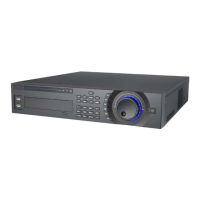
Description of the NVR's front panel interface and controls.
Description of the NVR's rear panel connections and ports.
Procedures for starting and stopping the NVR device safely and correctly.
Managing connected network cameras and their settings remotely.
Setup and control of PTZ cameras connected to the NVR.
Settings for video encoding parameters like compression and resolution.
Setting up recording schedules for different times and events.
Configuring motion detection for recording and capturing snapshots.
Interface for searching and retrieving recorded video footage.
Configuration of network settings including IP address, subnet mask, and gateway.
Tools for testing network connectivity and diagnosing issues.
Process for formatting the Hard Disk Drive for storage.
Viewing details about the installed Hard Disk Drive status and capacity.
General device settings including device name, language, and time.
Setting the system's date, time, and time zone for accurate logging.
Information about the system's version, build date, and serial number.
Procedure for updating the NVR's firmware.
Options for logging out, shutting down, or restarting the NVR device.
Steps to access and log into the NVR's web interface.
Viewing live video feeds from connected cameras through the web interface.
Configuration of various NVR settings including camera, network, and events.
Searching for and retrieving recorded video based on various criteria.
Playing back recorded video footage from stored files.
Downloading recorded video files for local storage.
Guidelines for safe electrical installation and operation to prevent hazards.
Step-by-step instructions and important considerations for installing the NVR.
Recommended environmental conditions for NVR installation and operation.

 To Next Page
 General