H900 Quick Start
E-Lins Technology Co.,Limited
Tel: +86-755-29230581 E-mail: sales@e-lins.com www.e-lins.com www.szelins.com
Manually select sim1 or sim2 as Master SIM, or follow Switch Rules to select Master SIM
Select the network you want to use. Normally keep default settings
Normally keep default settings. For some models, there is no this option.
Normally keep default settings
Click “Save & Apply” button for next step;
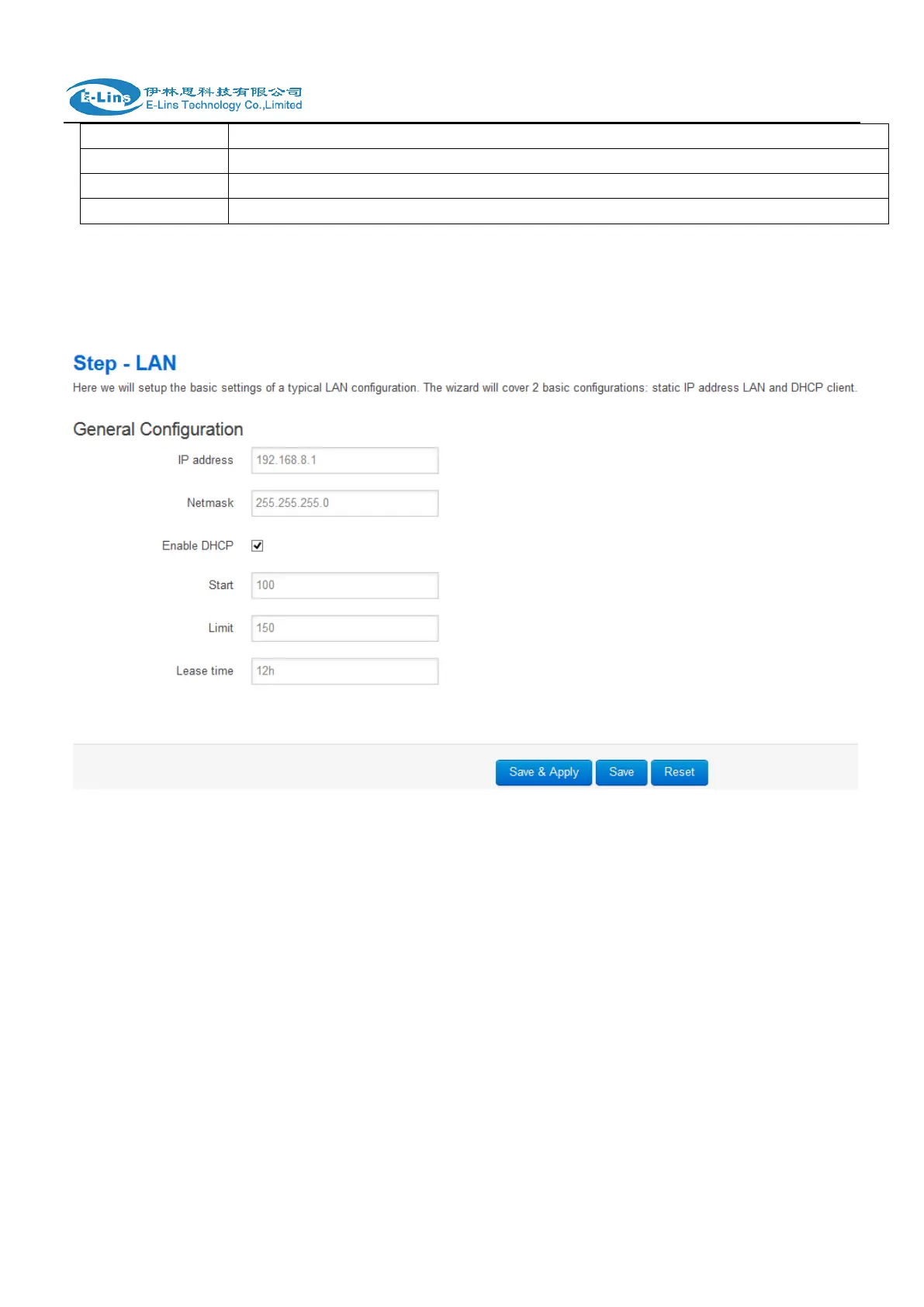
4.3) LAN
Set the router LAN IP parameters. Click “Save & Apply” button for next step;
4.4) WiFi


 To Next Page