EasyManua.ls Logo

E-MetroTel 5010 - User Manual

E-MetroTel 5010
4 pages
Print Icon
To Next Page IconTo Next Page
Loading...
1-800-392-0692
help@innerworks.ca
Welcome to your new device!
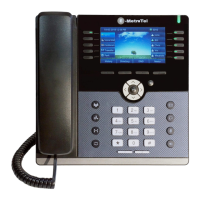
This guide is intended as a quick reference for the main features you may be using on your new phone.
Control/Button
Description
LED Indicator
Blinks when the phone is ringing.
Line keys
Configurable line keys with labels displayed on the LCD screen.
Soft keys
Context sensitive keys with labels displayed on the LCD screen.
MSB (Make Set Busy) Do Not Disturb feature
Forward Press to set up a call forward on your device
Redial Call the last numbered dialed on your handset
LED Indicator
Line Keys
Soft Keys
Cancel/Hang Up
Navigation/OK
Keys
User
Settings
Headset
Mute
Speaker
Call Volume
Up/Down
Call History
Transfer
Hold
Conference/Admin
Settings
Customizable
Call Keys
Question and Answer IconNeed help?

Do you have a question about the E-MetroTel 5010 and is the answer not in the manual?

E-MetroTel 5010 Specifications

General IconGeneral
BrandE-MetroTel
Model5010
CategoryTelephone
LanguageEnglish