1-800-392-0692
help@innerworks.ca
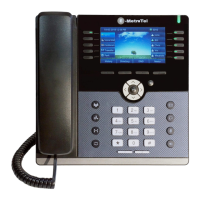
Please refer to the table below for a list of the more commonly used phone features:
Adjust Ringer Type/Volume and Call Volume:
• To change the ring volume, press the User Settings key and invoke Ring Volume (scroll down to the
bottom of the Services menu). Use the Up/Down soft keys to change the volume level and press the
Enter soft key to select and save.
• During an active call, press the Volume Up/Down keys to change the call volume.
• To change the ring pattern, press the User Settings key and invoke Ring type. Use the Up/Down soft
keys to hear the different ring types and press the Enter soft key to select and save.
• Press the Transfer key and dial the number or extension.
o Press Transfer again to complete the transfer or press the Cancel soft key to return to the
call.
• Hotdesk – This feature is only enabled on some systems. To learn
more about Hotdesking, click the link at the bottom of this guide or
contact us for more information
To return to idle screen or end a call.
Menu navigation (up/down/left/right) and OK key to select.
Press the OK (check mark) key when the phone is idle to access USER
Settings.
New message indicator, press to access voicemail box.
Headset mode toggle (applicable only if a headset is present).
Speaker/handset mode toggle.
Standard telephone keypad.
Call volume increase/decrease.
To access the call logs for Received, Placed and Missed calls.
Single press on an active call to initiate Conference.
Double press while idle to access the phone ‘Admin’ Menu.


 To Next Page
 Loading...