Medication Reminders
Operating Instructions
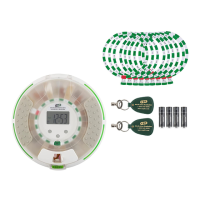
e-pill® MedGlider HOME PLUS
SKU: 843742 UPC: 837066000633
Thank you for purchasing an
e-pill Medication Reminder
We suggest you to read the following
instructions carefully and keep them for future
reference.
This easy-to-use rechargeable e-pill reminder
can remind you to take your medications up to
4 times per day. It has a loud beeping alarm
and visual indicator. This e-pill features a
unique indicator that counts down to your next
alarm time. The e-pill Medication HOME
PLUS allows you to set individual alarm times
for each day of the week.
e-pill
®
Medication Reminders
e-pill, LLC
49 Walnut Street, Bldg. 4
Wellesley, MA 02481, USA
1-800-549-0095(+1 781 239 2941)
Fax +1 (781) 235-3252
www.epill.com
Version 170907
Setting up Your e-pill
®
MedGlider HOME PLUS
Please activate the timer by removing the plastic bag from the rechargeable battery located in the battery compartment.
Setting the Time and Day Setting the Alarms
Day: Alarm:
1. Press and hold down the SET button 1. Press and hold down the ALM button
until the Day of the Week starts flashing. until the Day of the Week starts
2. Use ▲ and ▼to adjust to current Day. flashing.
3. Press SET to confirm. 2. Press▲ and ▼to adjust the Day of the
Week.
3. Press SET to confirm.
Time: 4. Day Segment (MORN, NOON, EVEN,
BED) will start to blink.
1. The Hour starts to flash after Day is 5. Press ▲and ▼ to choose Day
confirmed. Segment.
2. Use ▲ and ▼to adjust to current Hour. 6. Press SET Hour will start to flash.
3. Ensure AM or PM is correct. 7. Press ▲ and ▼to adjust to the Hour.
4. Press SET to confirm. 8. Press SET Minutes will start to flash.
5. The Minute starts to flash. 9. Press ▲and▼ to adjust the Minutes.
6. Use ▲ and ▼to adjust to current Minutes. 10. Press SET to save alarm.
7. Press SET to confirm.
*Repeat Steps 1-10 for each Day Segment
*Nothing should be flashing after the time is set.* & Day of the Week. It allows you to set
different alarms for every day.*


 To Next Page
 Need help?
 General