FILE: IP 400 Service manual.doc 2004.05.07
E-TECH Co., Ltd 14/18
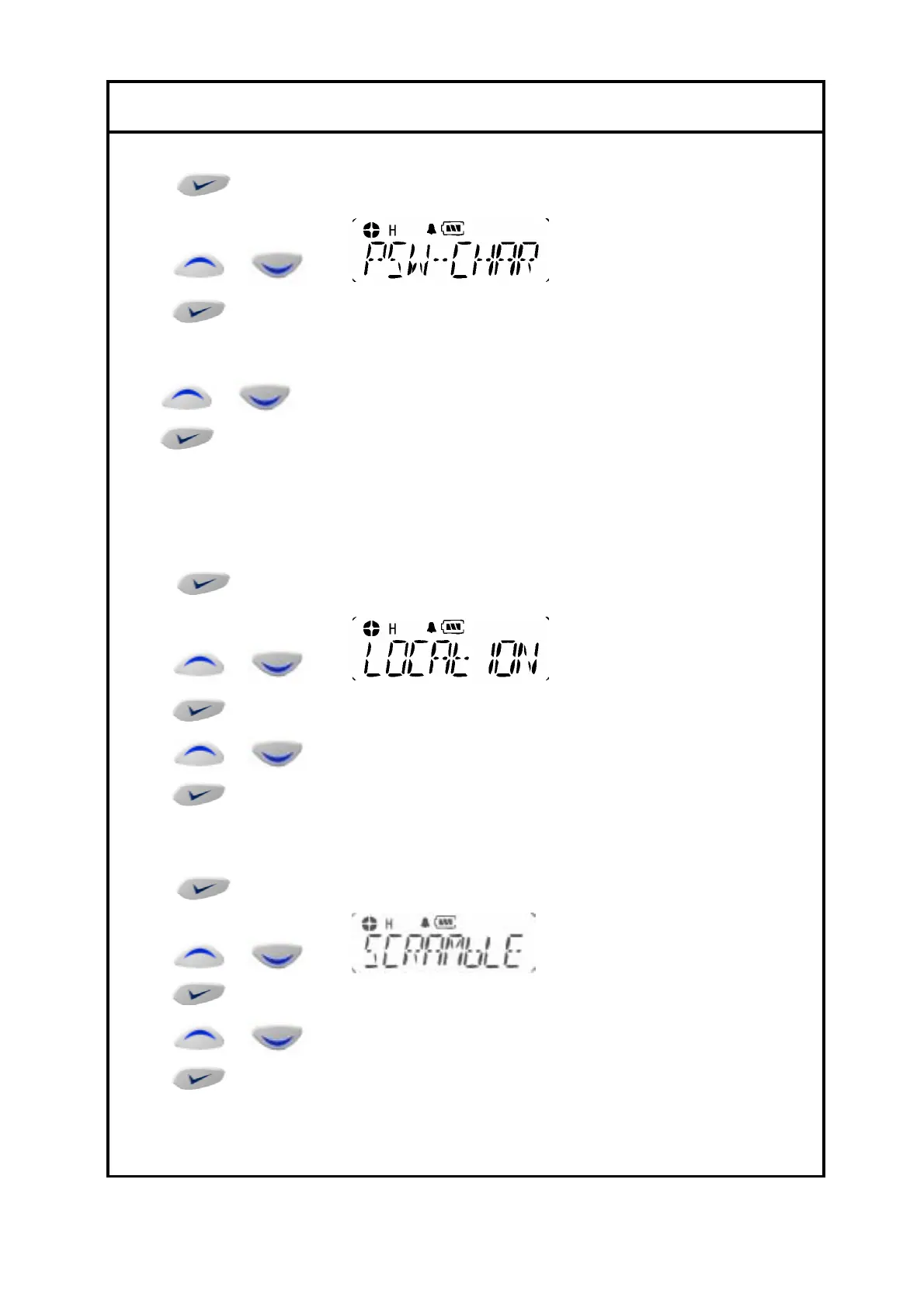
24. Password CH
1). to enter Menu Mode.
2) or to until
3)
to select
4) ---- will display on the LCD( enter old password)
or by pushing up and down KEY to change password.
by pushing enter KEY to change digit of password.
5) Enter new password by 4 digit.
25. Location
Indicate where the radio is located by blinking green light every 7 seconds.
1).
to enter Menu Mode.
2)
or to until
3)
to select
4)
or to select ON /OFF.
5) to select
26. Scramble
1).
to enter Menu Mode.
2)
or to until
3)
to select
4)
or to select ON /OFF.
5) to select


 To Next Page