
 Need help?
Do you have a question about the E-Tech IP 400 and is the answer not in the manual?
Details general technical parameters including frequency range, channels, power supply, and dimensions.
Outlines transmitter performance details such as power output, modulation, and frequency stability.
Details receiver performance, including type, sensitivity, spurious rejection, and audio output.
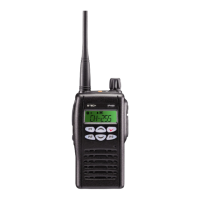
Illustrates the external components and controls of the radio unit.
Describes core radio functions like Monitor, Radio Call, Missed Calls List, and Contact List.
Explains the various icons and indicators displayed on the radio's LCD screen.
Details specific features like Channel selection, Missed Calls List, and Status Call List.
Explains how to access and use the radio's contact list for calls and programming.
Details how to make status calls and manage status messages.
Describes the Lone Work feature, enabling or disabling it and setting its operational parameters.
Explains how to select and adjust the transmit power between HIGH and LOW settings.
Details the process for selecting transmitting tones, including CTCSS and DCS options.
Guides on changing the receiving tones, specifying CTCSS and DCS options.
Explains how to change and set the Group Tone for communication.
Describes how to enable or disable the beep sound for radio operations.
Details how to lock and unlock the radio's keys to prevent accidental operation.
Explains how to set the squelch level, including the option to terminate squelch function.
Describes how to enable or disable the auto squelch feature.
Details how to initiate and use the scan function to monitor channels.
Explains how to enable or disable the DTMF tone function.
Describes how to enable/disable VOX and adjust its sensitivity level.
Explains how to enable or disable the auto VOX feature.
Details how to enable or disable priority scan and scan specific channels.
Describes how to enable or disable the power save mode to conserve battery.
Explains how to enable or disable the talkaround feature.
Details how to set and manage a password for radio security.
Explains how the radio indicates its location via a blinking green light.
Describes how to enable or disable the voice scramble function for secure communication.
Explains how to send a status call and enable/disable the function.
This document describes the E-TECH Co., Ltd IP 400 radio, a compact communication device with a frequency range of 405-490MHz.
The IP 400 is a microprocessor-controlled radio featuring a temperature-compensated Phase Locked Loop (PLL) frequency synthesizer. It incorporates a double conversion receiver and a direct FM transmitter modulator. A specialized integrated circuit supports sub-audible signaling (CTCSS & DCS). To conserve battery life during standby, most receiving components are periodically switched off in power save mode.
The IP 400 offers a range of features accessible through its menu system and physical controls:
The document mentions a "FILE: IP 400 Service manual.doc", indicating that a service manual exists for maintenance purposes. While specific maintenance features are not detailed in the provided excerpts, the inclusion of a PC-Programming Jack suggests that the device can be connected to a computer for configuration, diagnostics, and potentially firmware updates. The ability to adjust various parameters like frequency stability, power output, and squelch levels through software or menu options implies a degree of user or technician-level adjustability for optimal performance.

 To Next Page
 General