14
1. Adjustment step
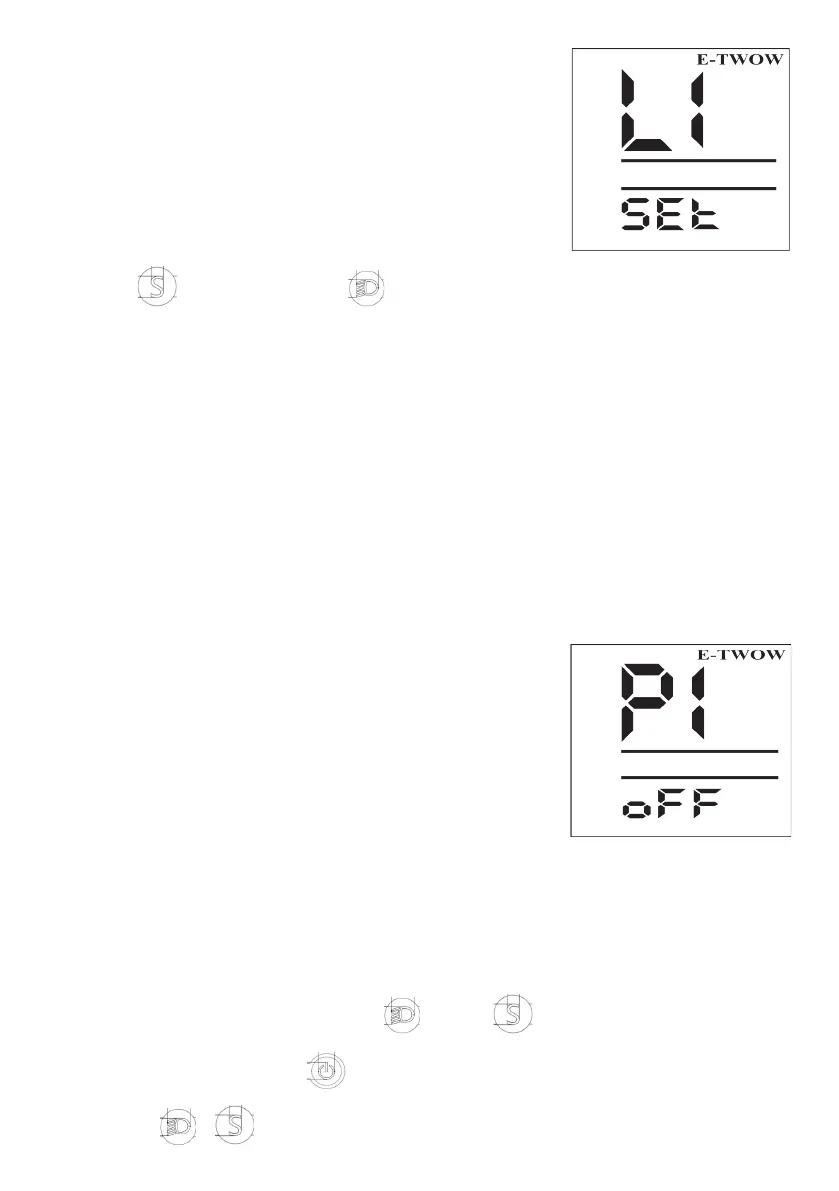
When the scooter is o, press the left EBS brake,
and press the power button at the same time; the
display will show as follows:
Note: If the display shows L1-L4, means you are in
the correct setting menu of the speed. If the display
shows other contents, please turn o the scooter
and restart.
• Press is downshift, press is upshift.
• After setting the speed, release the left EBS brake, the scooter is in the corre-
sponding mode.
Note:
L1 6KM/H (Pedestrian mode)
L2 25KM/H (Speed limit mode)
L3 40KM/H (Current limit mode)
L4 46KM/H (Overspeed mode)
2. Normal working interface
Mileage display switch: press, Display TRIP is the mileage that has been run since
startup, and it will be cleared after shutdown
Display ODO is the mileage of the scooter after it leaves the factory, which is auto-
matically saved and accumulated every time it runs.
3. Setting of dierent functions
Function list
P0: 1 Non-zero start; 0 Zero start
P1: EBS motor reverse brake adjustment
P2: 1 Lock the motor; 0 Unlock the motor
P3: 1 Turn on the cruise function; 0 Turn o the cruise
function
P4: Total mileage clear menu (detailed operation steps)
Step 1: Turn on the scooter, press the left EBS brake,
and press the power button at the same time; the display will show as follows
Note: In the process of settings, please keep pressing the left EBS brake all the time;
otherwise the setting will not be eected.
Step 2
1. P0 to P4
After entering the setting menu, press or press to make the selection.
2. An example of setting the zero-start function
• Display shows P0, press to conrm that scooter is in the right setting menu
(the horn beeps).
• Through or to set “0” or “1”.



 To Next Page