6 KEYS & ALARM
1
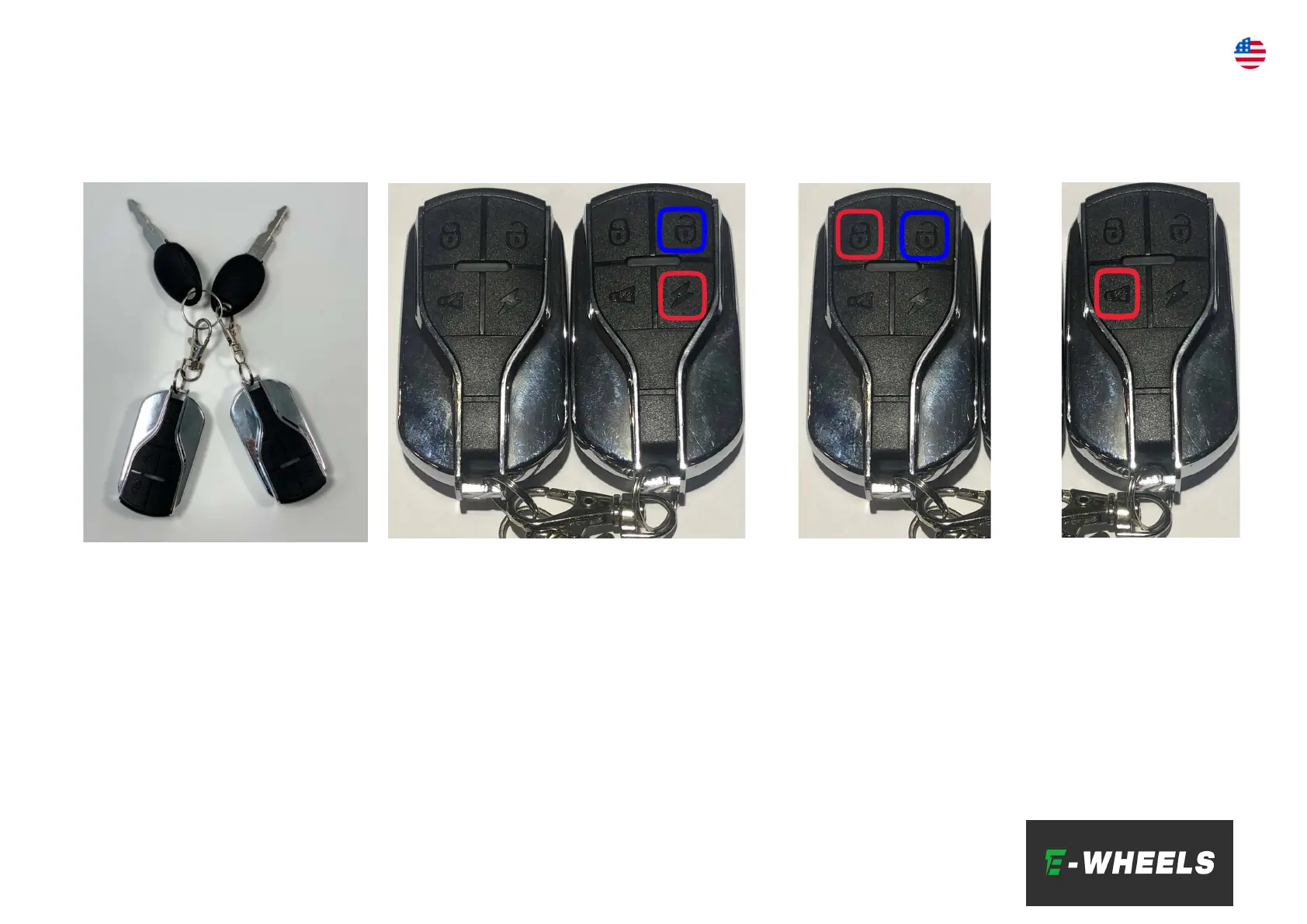
Both the E7 and the E8 is
equipped with “ignition” and
keys. You can use both the
keys and the "transponder" to
turn the scooter on and off. The
keys go into the "ignition", then
turn them to the right. When
this is done, the scooter can be
turned on via the ON/OFF
button on the display.
2
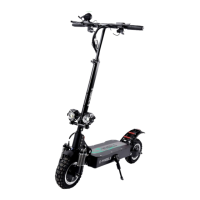
To turn on the scooter with the
“transponder” you have to press the
“lightning” button twice (highlighted in
red). Then you can turn on the scooter
with the ON/OFF button on the display.
NB! If the scooter is to be switched off
and put away, it is important to switch
it off COMPLETELY. The scooter will still
be on if you just turn it off in the
display. Press the button highlighted in
blue twice to turn it off completely.
3
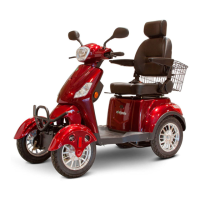
To lock the scooter and
activate the motion/bevel
alarm, the button highlighted
in red must be pressed. To
unlock and switch off the
alarm, the button highlighted
in blue must be pressed.
NB! The alarm needs power
to work - this means that
when the alarm is activated
the battery is still on. For
example, If you store it
overnight in the garage with
the alarm on, the battery will
probably be drained.
1) 2)
3)
4)
4
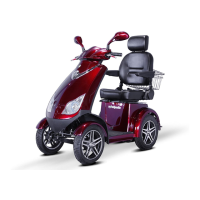
The button
highlighted in red
may be used to
check if the alarm
system and the
lock is working.
EN



 To Next Page