1、Handle
2、Antenna
3、Switch A(arm and disarm)
4、Switch B
5、Switch C(Mode switch)
6、Switch D
7、Left stick
8、Left trim
9、Right trim
10、Right stick
11、Left trim
12、Right trim
13、Up
14、press the Enter key
15、Down
16、Short press the Cancel key
17、Code keys
18、Switch
19、LCD Display
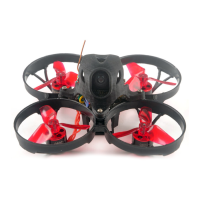
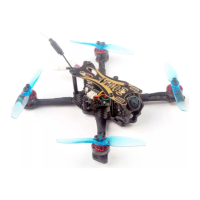
NOVICE-II 1-2S Brushless Micro Drone
16. ESC Check and Flash firmware13. Radio channels/Switch and Betaflight mode setting
14. AUX Channel set up
15. LED Strip Setting
1. Download New release Blhelisuite from:
https://www.mediafire.com/folder/dx6kfaasyo24l/BLHeliSuite
2. Connect the NOVICE-II flight controller to computer
3. Open the Device Manager of your computer, find the Ports, please make sure
the Com port Serial Number is under 255, otherwise it will can't connect to the
BLHELISUITE. You can change the port serial number like the bellowing step :
4. Open the BLHELISUITE, Select SILABS BLHeli Bootloader (Cleanflight) from
the third tab on the top side. Then Select the right Serial com port and Click
connect. You can also Flash the new release BLHeli_s firmware via the
BLHEILISUITE, the firmware Target is “S-H-50”
Click check to see the
details of the 4in1 ESC
Firmware target
Flash firmware
1. Install latest STM32 Virtual COM Port Driver
http://www.st.com/web/en/catalog/tools/PF257938
2. Install STM BOOTLOAD Driver (STM Device in DFU MODE)
3. Open Betaflight configurator and choose firmware target “CrazybeeF4FS”,
then select the firmware version.
4. There are 2 ways to get in DFU Mode: 1). Press and hold the boot button, then
plug USB to computer 2).loading betaflight firmware and hit “flash”, then it will
getting into DFU Mode automatically.
5. Open Zadig tools to replace the drivers from STM32 Bootloader to WINUSB Driver.
6. Reconnect the flight controller to the computer after replace driver done , and
open Betaflight Configurator, loading firmware and flash.
17. Flight controller fir mware update
-4-


 To Previous Page