14
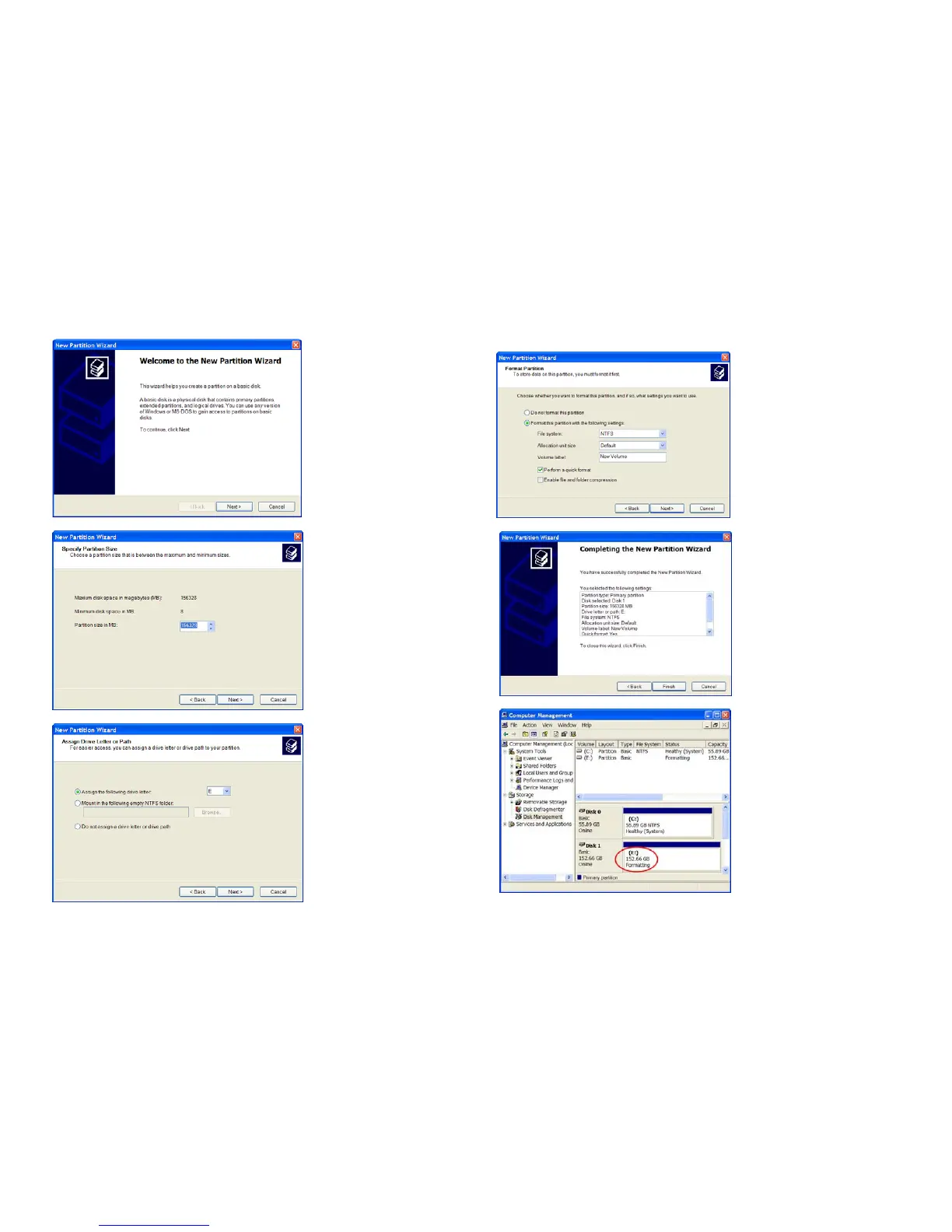
3. After New Partition Wizard launched, then click Next.
4. On the next page, choose your partition size then click Next.
5. After that, please assign a drive letter for the new Hard Drive, and go to Next.
15
6. To format a Hard Drive. Choose the NTFS as File System. Leave the
Allocation unit size as default. Assign a name in Volume label. Check the
Perform a quick format to reduce format time. Click Next.
7. Confirm your setting and click Finish.
8. It would show the status as Formatting.



 To Next Page