Xbox 360 Chat Configuration/Xbox 360 Chat Configurație
Press the silver Xbox Guide button on your Xbox 360/Apăsați butonul argint Xbox Guide pe
controlerul consolei Xbox 360.
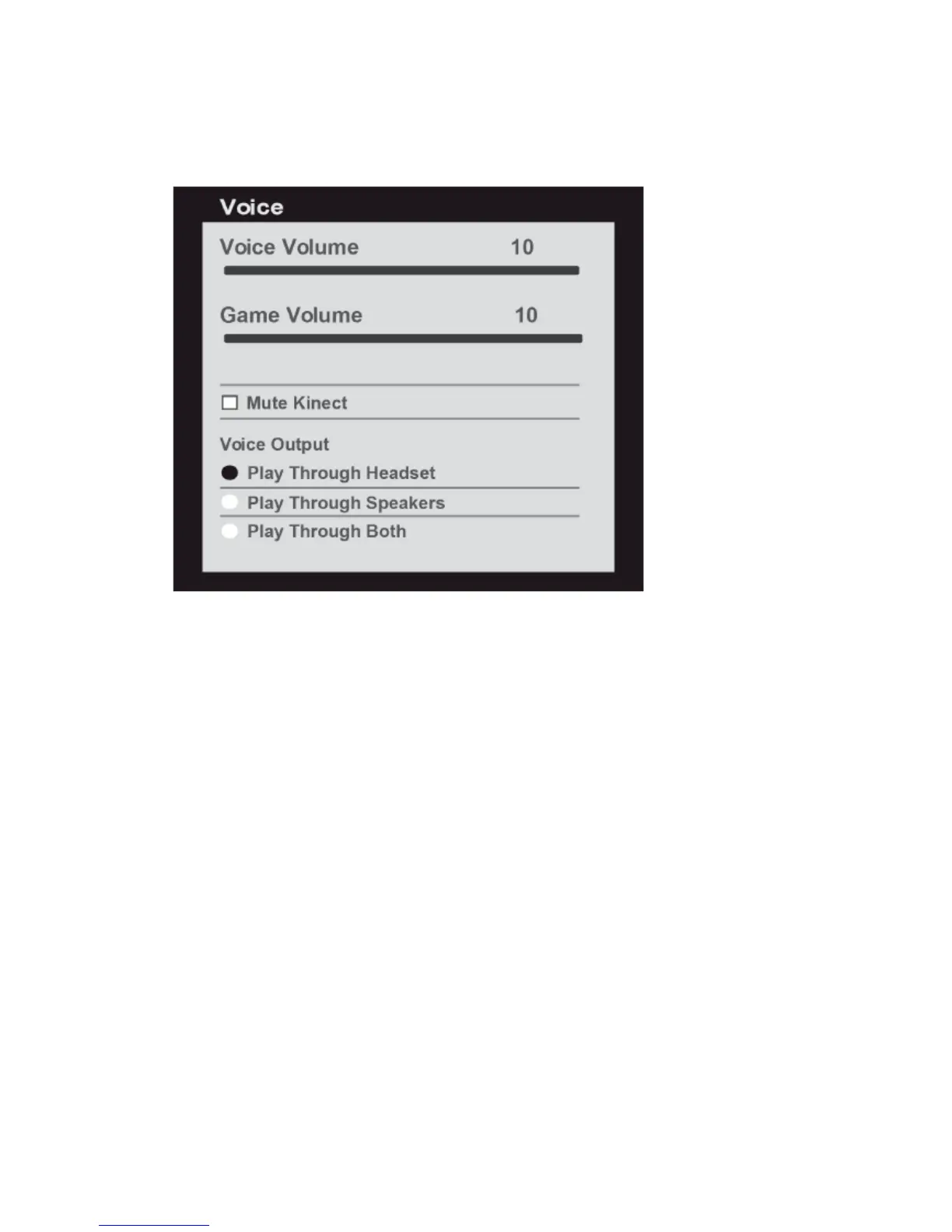
controller. Go to Settings > Preferences > Voice./ Mergeți la Setări > Preferințe > Voce.
• Set Voice Volume to “10”/ • Setați Volumul Voce la “10”
• Set Game Volume to “10”/ • Setați Volumul Joc la “10”
• Set Voice Output to “Play Through Headset”/• Setați Ieșire Voce pe “Difuzați prin Căști”


 To Previous Page