Need help?
Do you have a question about the EarFun Air Pro 3 and is the answer not in the manual?
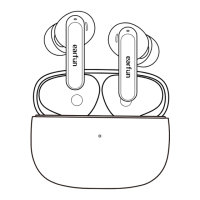
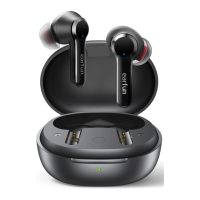
Visual overview of the EarFun Air Pro 3 earbuds, charging case, and control elements.
Step-by-step guide to initially connect the earbuds to a Bluetooth-enabled device.
Instructions for unpairing from the current device and connecting to a new one.
Guide for pairing and connecting the earbuds with two Bluetooth devices simultaneously.
Controls for managing music playback: play, pause, skip track, and volume adjustment.
Handling calls (answer, end, transfer) and activating the voice assistant via earbuds.
How to control noise cancelling and ambient sound modes with the earbuds.
 General
| Bluetooth Version | 5.3 |
|---|---|
| Charging Time (Earbuds) | 1 hour |
| Charging Time (Case) | 2 hours |
| Water Resistance | IPX5 |
| Wireless Charging | Yes |
| Frequency Response | 20Hz - 40kHz |
| Weight (Charging Case) | 49 g |
| Noise Cancellation | Hybrid Active Noise Cancellation |
| Driver Size | 11 mm |
| Microphones | 6 |
| Audio Codec | AAC, SBC |
| Quick Charge | 10 minutes for 2 hours playback |
| Voice Assistant | Yes |
| Battery Life (Earbuds) | 9 hours (ANC off), 6 hours (ANC on) |

 To Next Page