9 Resetand Reconnecting
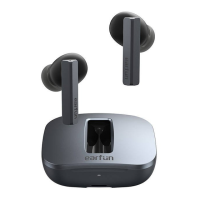
If you fail to build connection to either earbud, or between earbuds and
Bluetooth device, please try the following steps:
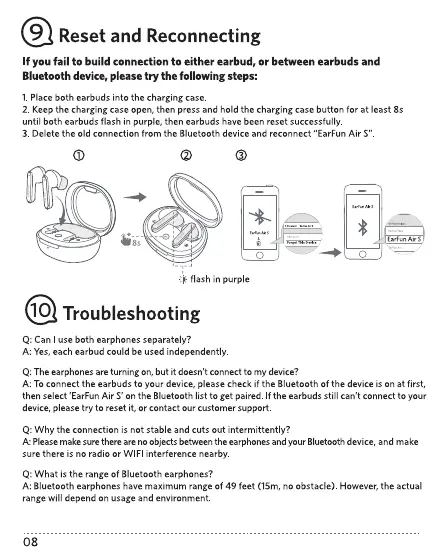
l. Placeboth earbuds into the charging case
2 Keepthe charging case open, then pressand hold the charging case button for at least 8s
until both earbuds flash in purple, then earbuds have been reset successfully
3. Delete the old connection from the Bluetooth device and reconnect "EarFun Air S"
o
EMunAirs
o
flash in purple
10 Troubleshooting
Q Can use both earphones separately?
A: Yes,eachearbud couldbe used independently
Q Theearphonesare turning On,but it doesn't connect to mydevice?
A: Toconnect the earbuds to your device, please check if the Bluetooth Ofthe device is Onat first,
then select 'EarFunAir S' on the Bluetooth list to get paired Ifthe earbudsstill can't connect to your
device, pleasetry to reset it, or contact ourcustomer support
Q Why the connection is not stable and cuts out intermittently?
A: Please make sure there are no objects between the earphones and your Bluetooth device, and make
sure there is no radio or WIFI interference nearby.
Q: What is the range of Bluetooth earphones?
A: Bluetooth earphones have maximum range of 49 feet (15m, no obstacle). However, the actual
range will depend on usage and environment.
08


 To Next Page