. Please check
Microphone
mutes
automatically
when boomi s
set to “UP”
position.
SET VOLUME
UltraLITE features 5 volume settings. Select the desired
volume by slowly clicking the UP o r DOWN b uttons.
Operation
Adjusting for Fit & Performance
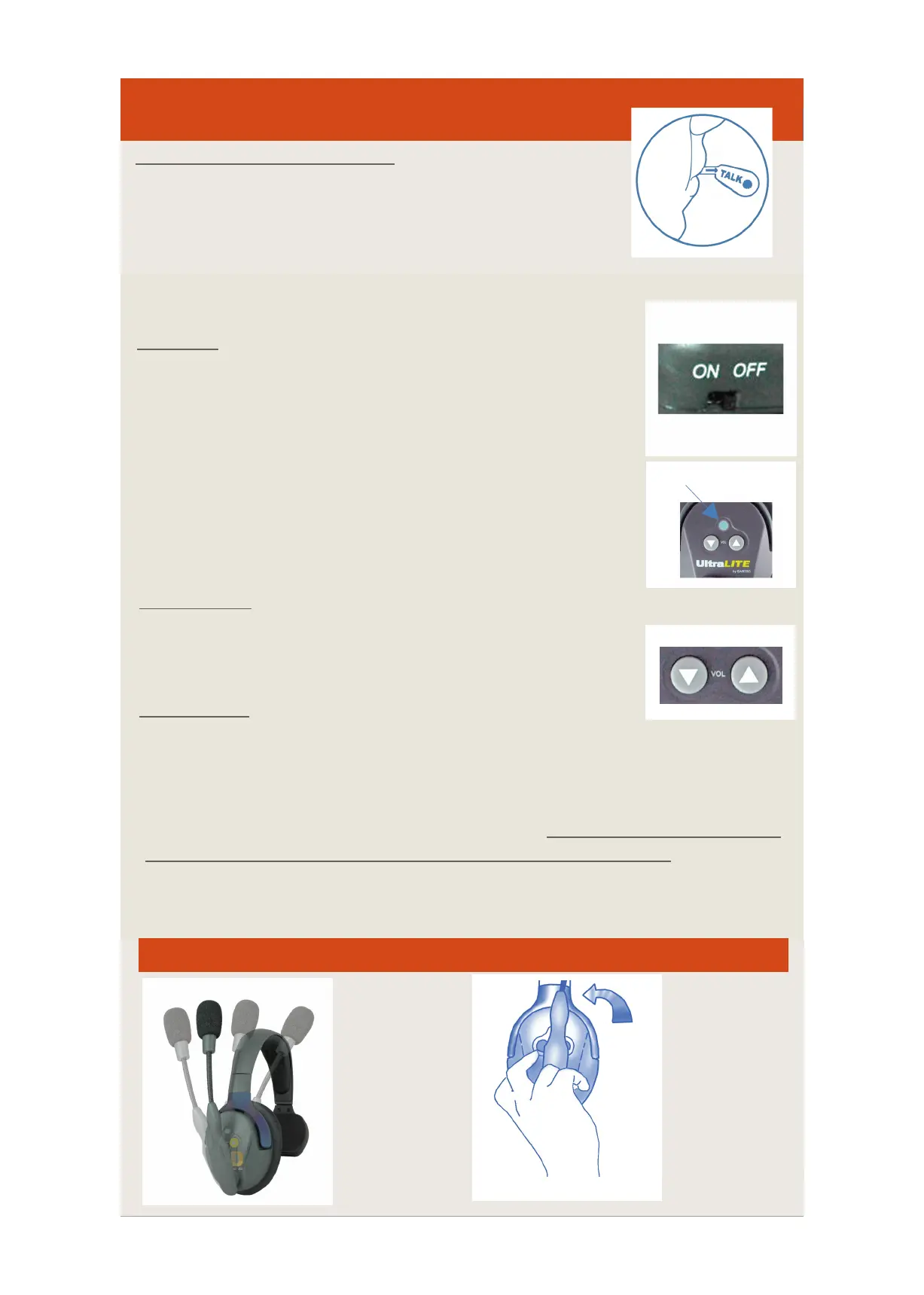
1) Adjust the h eadband slides for size as necessary.
2) Position the microphone capsule at one finger’s w idth
from the corner of y our mouth to ensure superior speech
recognition and noise c ancellation.
3) “TALK” identifies front of microphone: always have this
indicator facing towards your mouth.
START UP
1) Turn ON the MASTER headset, switch is located below
battery compartment. F lashing blue LED on e arcup confirms
headset is in searchm ode.
2) T urn ON the REMOTE h eadset(s), press the p owerb utton
located above volume controls.. Flashing blue LED on earcup
confirms headset is in search mode.
3) Flashing LED s change to solid b lue to indicate that
headsets are c onnected.
SHUT DOWN
Power OFF the MASTER h eadset utilizing s witch, t hen PRESS and HOLD the
power button on the Remote headset(s) for 4-5 seconds t o turn off.
(Note: Blue LED on headsets indicates pairing mode. When headset blue LED i s NOT
illuminated, this does NOT necessarily indicate that the headset is off
switch on Master headset to e nsure that it is in OFF position. T he b attery will
continue to d rain if left in t he h eadset, a nd the switch is not t urned to OFF position.)
REMOTE ON/OFF
Auto Mute Function
Boom
swivels over
the top 270
degrees.
Headset can
be worn o n
left or right
ear.
MASTER ON/OFF


 To Previous Page
 Loading...

