How to Change the Backlight Color
05
Color
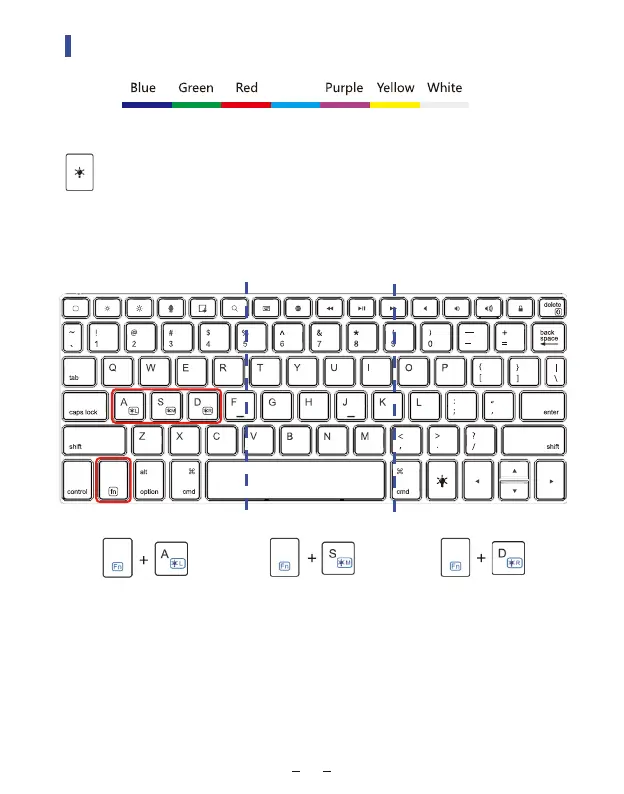
Press the ‘light bulb’ to turn it on, press it once for on, twice
for brighter, third for the brightest and fourth to turn it off.
DIY the colors in 3 zones, more than 100 colors
Press Fn + A to change the left zone keyboard’s backlight color
Press Fn + S to change the middle zone keyboard’s backlight color
Press Fn + D to change the right zone keyboard’s backlight color
left zone
middle zone
right zone
Cyan



 To Next Page