Trouble shooting
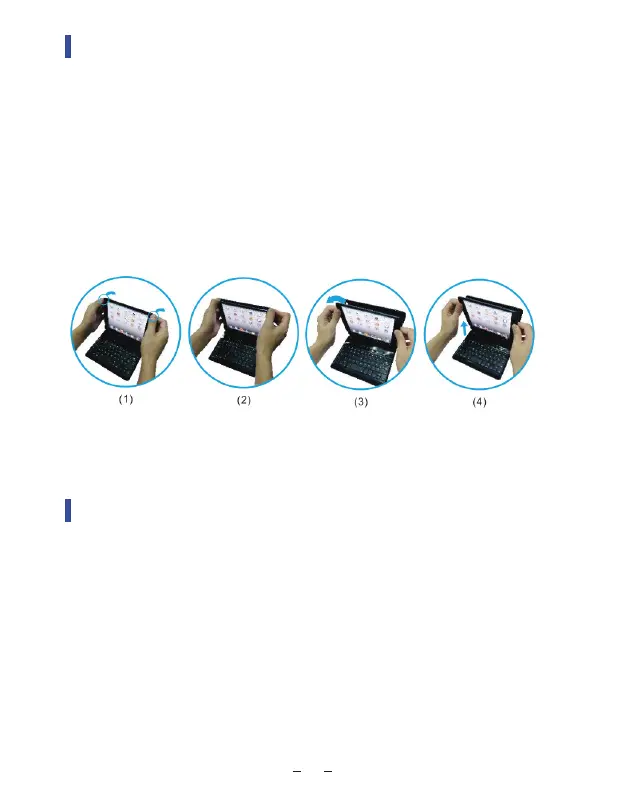
Installation and Removal
1 . Removing back protective piece: hold iPad on both sides and use
thumbs to gently push off the back cover (see photo.) Cover is held
in place by two tabs.
2 . Proceed to “peel” cover away from iPad.
3 . Take iPad out.
4 . Take iPad out upwards.
If the keyboard is not working correctly, please check the following:
1. The battery is too low. Fully charge the keyboard (no less than 2
hours) for the first time to extend battery life.
2. The keyboard is located within 33 feet from your iPad.
3. You have enabled Bluetooth on your iPad.
07



 To Next Page