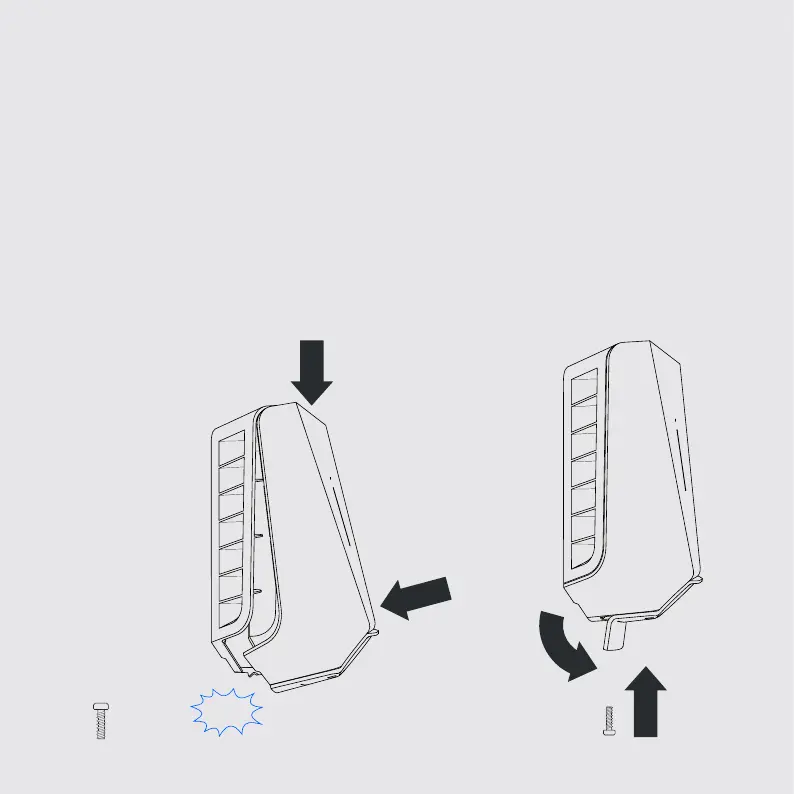
Mount the front cover
9
1. Hang the front cover at the top of the backplate and let it fall into place.
2. Then press the bottom of the front cover until you hear a click!
3. Bend the lower part of the rubber cover down.
4. Screw in the locking screw at the bottom of the box to secure.
The charging robot is now ready for use, enjoy!
1
Click!
1
4
2
3


 To Next Page