Centre-find
-6-
Purpose :
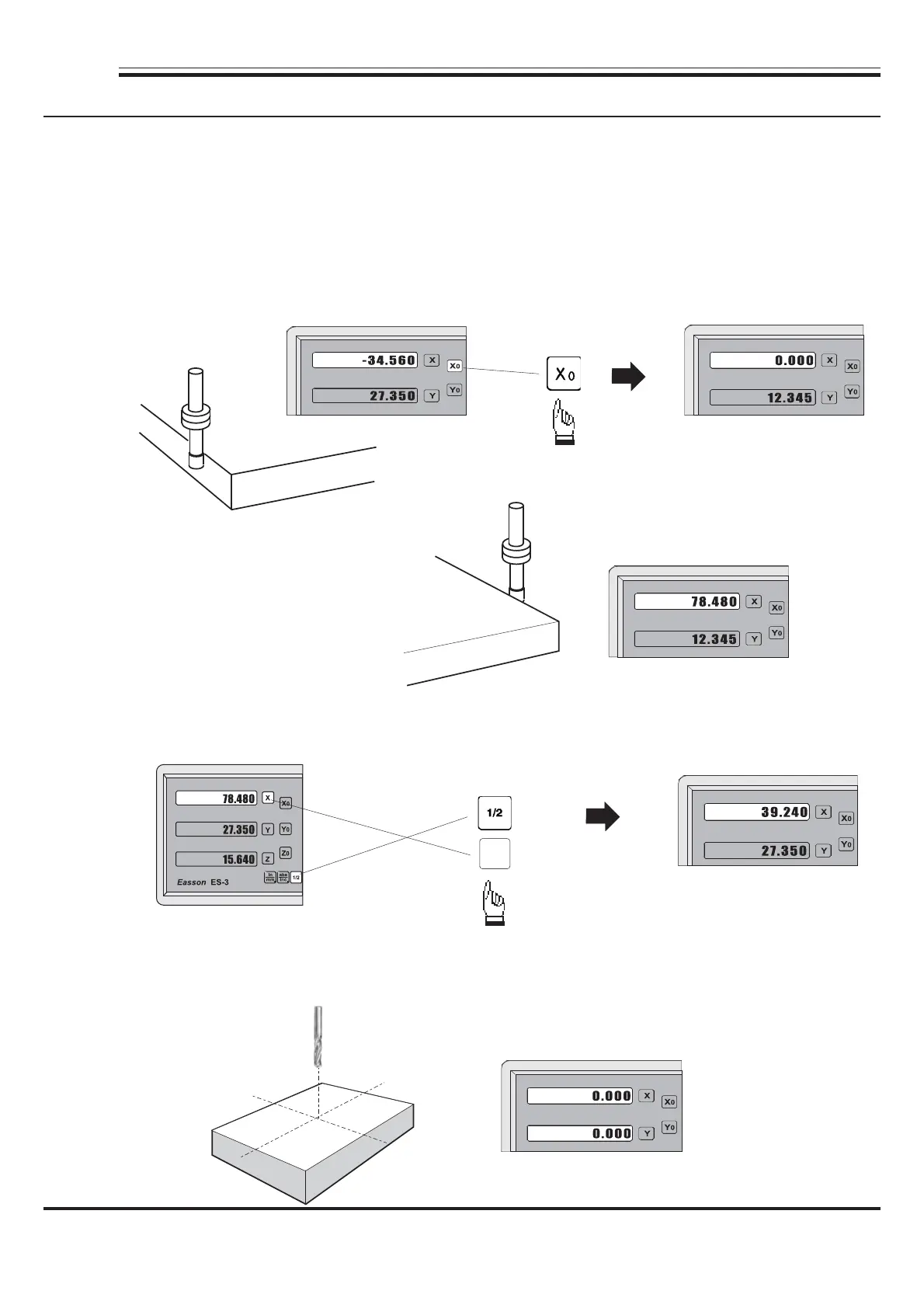
ES-3 provides the centre-find function by halving the current display coordinate, so that the zero point
of the work piece is located at the centre of the work piece.
Step 3 :
To set the X Axis zero point at the centre of the work piece.
Example :
Then half the display coordinate using centre-find function as per follows:
Step 1 :
Locate the edge finder at one end of the work piece, then zero the X Axis.
Step 2 :
Locate the edge finder at the opposite
end of the work piece.
Now the X Axis zero point ( 0.000 ) is located at the X centre of the work piece.
X
Easson



 To Next Page