Easson
Easson ES-3ES-3
CE
ent
123
456
789
+
_
.
0
ref1/2
abs
inc
in
mm
X
0
Y
0
X
Y
Z
Z
0
1.dir2.LC3.r-d
1
Easson ES-3
CE
ent
123
456
789
+
_
.
0
ref1/2
abs
inc
in
mm
X
0
Y
0
X
Y
Z
Z
0
0
0
0
ES-3 SETUP FUNCTION
Easson ES-3
CE
ent
123
456
789
+
_
.
0
ref1/2
abs
inc
in
mm
X
0
Y
0
X
Y
Z
Z
0
987.035
852.765
987.035
AXIS KEY
ENTER KEY
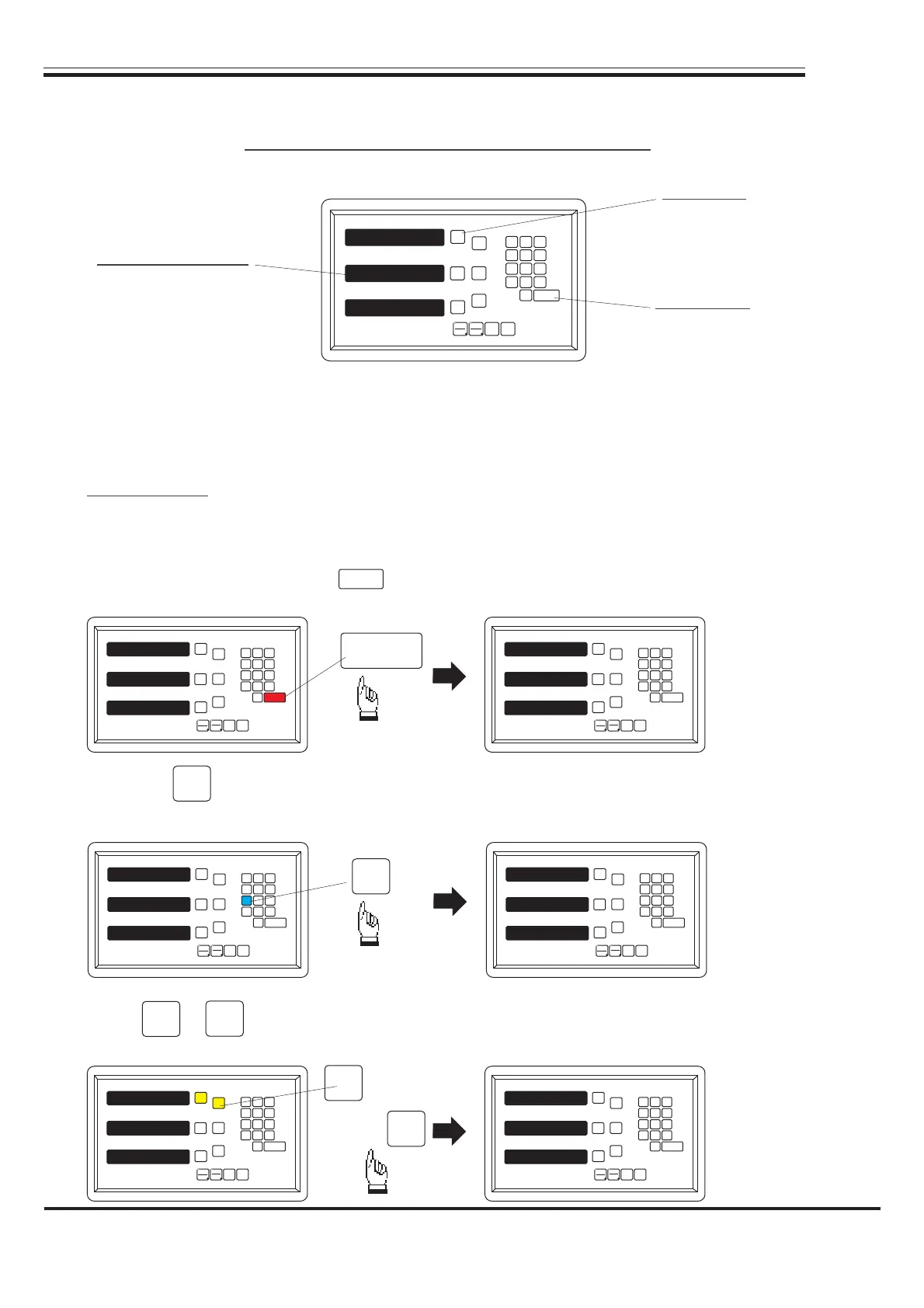
MESSAGE WINDOW
During changing the different program version IC or some abnormal voltages and
operations, you need to SETUP the DRO.
Procedure:
1). Turn off the ES-3.
2). Power on the ES-3 once again, when the message "ES-3" showing in the
MESSAGE WINDOW, please key immediately then the DRO ES-3 starts entering
into the SETUP function.
ent
ent
Easson ES-3
CE
ent
123
456
789
+
_
.
0
ref1/2
abs
inc
in
mm
X
0
Y
0
X
Y
Z
Z
0
ES-3
ES-3
ES-3
Easson ES-3
CE
ent
123
456
789
+
_
.
0
ref1/2
abs
inc
in
mm
X
0
Y
0
X
Y
Z
Z
0
1.dir2.LC3.r-d
1. counting direction
setting
2. linear error
compensation
3. radius/diameter
setting
press or key to set up a negative direction "1" for X Axis, make a same procedure
for Y Axis and Z Axis.
X
X
0
3). Press key into the "dir" (counting direction) function, the 0 represents a positive,
1 reprecents a negative.
1
Easson ES-3
CE
ent
123
456
789
+
_
.
0
ref1/2
abs
inc
in
mm
X
0
Y
0
X
Y
Z
Z
0
0
0
0
Easson ES-3
CE
ent
123
456
789
+
_
.
0
ref1/2
abs
inc
in
mm
X
0
Y
0
X
Y
Z
Z
0
0
1
0
X
0
X
or
-17-


 To Next Page
 Loading...