2
Easson ES-3
CE
ent
123
456
789
+
_
.
0
ref1/2
abs
inc
in
mm
X
0
Y
0
X
Y
Z
Z
0
1.dir2.LC3.r-d
Easson ES-3
CE
ent
123
456
789
+
_
.
0
ref1/2
abs
inc
in
mm
X
0
Y
0
X
Y
Z
Z
0
1
1
1
Easson
ent
2
X
0
X
X
0
X
Easson ES-3
CE
ent
123
456
789
+
_
.
0
ref1/2
abs
inc
in
mm
X
0
Y
0
X
Y
Z
Z
0
r
r
r
Easson ES-3
CE
ent
123
456
789
+
_
.
0
ref1/2
abs
inc
in
mm
X
0
Y
0
X
Y
Z
Z
0
d
r
r
Easson ES-3ES-3
CE
ent
123
456
789
+
_
.
0
ref1/2
abs
inc
in
mm
X
0
Y
0
X
Y
Z
Z
0
1.dir2.LC3.r-d
ES-3
CE
ent
123
456
789
+
_
.
0
ref1/2
abs
inc
in
mm
X
0
Y
0
X
Y
Z
Z
0
0
50
0
3
ent
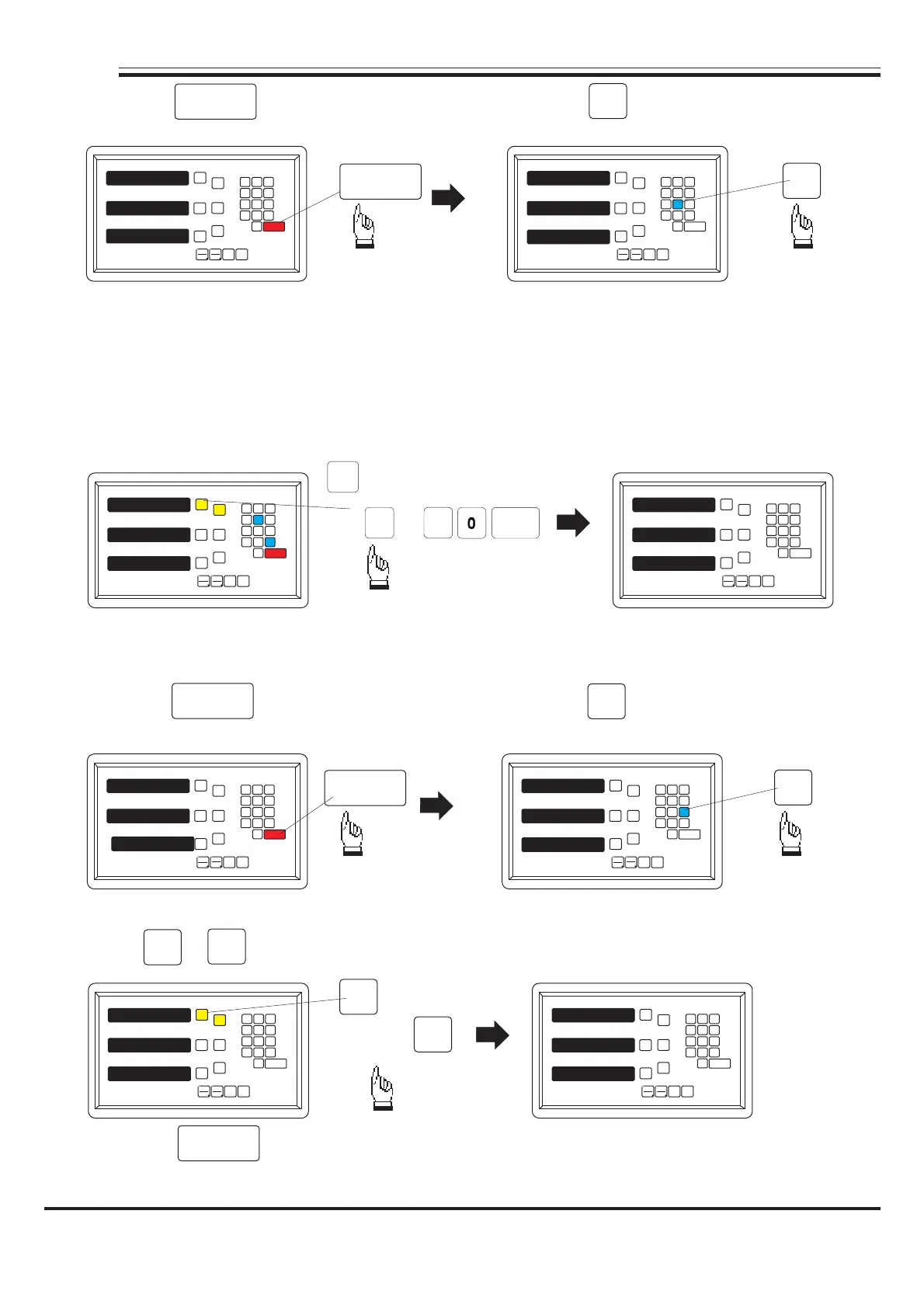
4). Press key to make your setting, then press key into the "LC"
(linear compensation) function.
X
0
X
5
ent
Easson ES-3ES-3
CE
ent
123
456
789
+
_
.
0
ref1/2
abs
inc
in
mm
X
0
Y
0
X
Y
Z
Z
0
0
0
0
Easson ES-3
CE
ent
123
456
789
+
_
.
0
ref1/2
abs
inc
in
mm
X
0
Y
0
X
Y
Z
Z
0
0
50
0
or
The formula of linear error compensation
error value *-(1000/measuring length) = compensation value
(ML) measuring length unit = mm, error unit = m
Example
ML=500mm Error=-15 m
-15 m x-(1000/500) = 30 m
the compensation value is 30 m
:
μ
:
μ
μμ
μ
If set up the linear compensation value of X Axis = 30, through the AXIS key make a same
procedure for Y Axis and Z Axis.
ent
3
5). Press key to make your setting, then press key into the "r-d"
(radius/diameter) function.
d-Diameter r-Radius
Press or key to set up X Axis to "d", make a same procedure for Y Axis and Z Axis.
ent
6). Press key to make your setting.
7). Turn off the counter after change the parameter of setup mode then power on the
counter. the setting is enable now.
or
ent
-18-
Easson


 To Previous Page
 Loading...