7. Trouble Shooting
This section describes how to find the troubles when Inverter is abnormal. We suggest
you to follow the service procedure below:
1. Check the Inverter status via LCD display, the sound of the buzzer, or listen to
the description of end users.
2. Inspect failure board for static checking.
3. Replace failure components.
4. Static checking.
5. Power-on checking.
6. Test after repair.
Following section will help service person to solve the most problems.
7.1 LCD Panel Display Pattern Definition
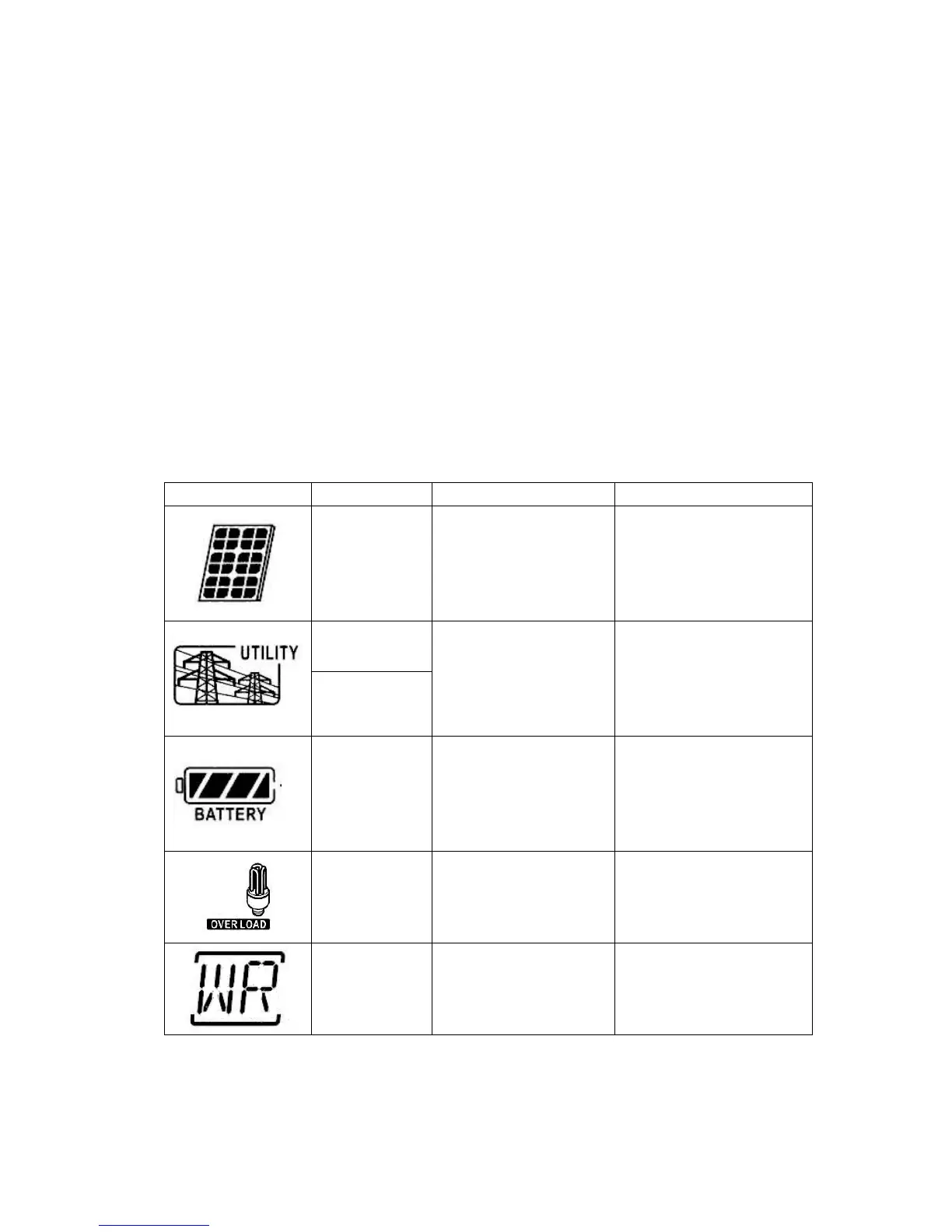
7.1.1 Trouble shooting for warning icon in LCD display
LCD icon (Flashing) Means Possible cause Action
PV module
disconnect
PV voltage is lower than
100V.
1. Waiting for sunlight to
generate sufficient power.
2. Check if PV cables are
connected correctly and
firmly.
Line loss
Grid is detected out of
range.
1. Grid is not connected.
2. Check if grid cables are
connected correctly and
firmly.
3. Check grid usability.
Islanding
detect
Low battery
Battery is not detected
or low battery
1. Make sure battery
wires are connected
well.
2. Check if the battery is
good.
Over load
The load is out of
supported capacity the
Inverter can support.
1. Remove some
non-critical loads.
Initial fail The CPU is disturbed.
1. Restart the inverter.
2. Reset to the factory
settings.
Note: When the Inverter alarms, the Inverter is still working on the original mode.



 To Next Page