16
17
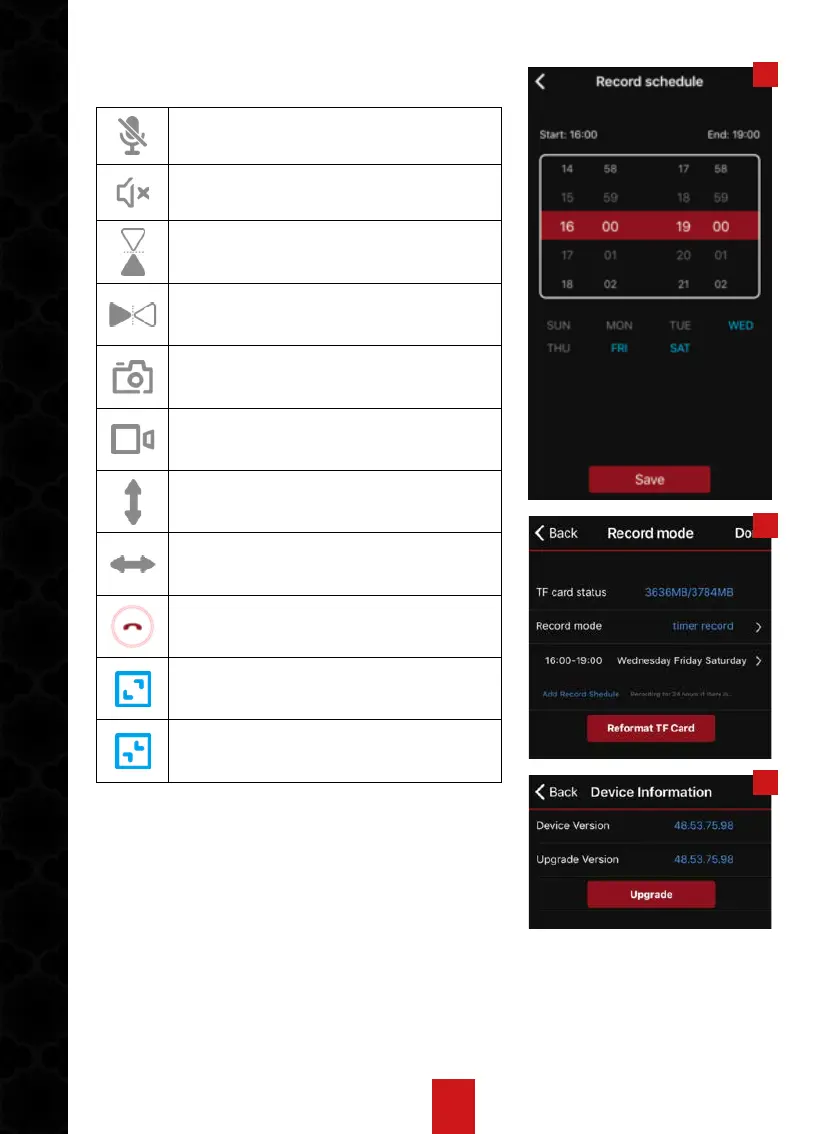
Icon Interpretation
Enable or disable microphone on
IP camera
Enable or disable microphone on
IP camera
Image reverse vertically
Image reverse horizontally
Manually take picture
Manually record video
vVertically adjust camera lens
hHorizontally adjust camera lens
Exit current interface
Full screen
Minimum screen
Please note: optionally, user can horizontally or
vertically slide the image window on surveillance
interface to adjust the camera.
18
19


 To Next Page