Need help?
Do you have a question about the Easy Access EASYRING V3 and is the answer not in the manual?
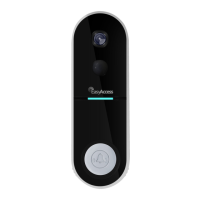
Details the physical parts and functionalities of the EasyRing V3 video doorbell.
Details the physical parts and indicators of the EasyRing gateway unit.
Provides steps to resolve common problems when the doorbell fails to pair with the gateway.
Details the process for sending and accepting friend requests to grant doorbell access to others.
Steps to complete sharing the doorbell from an administrator account to an ordinary user.
Lists adjustable settings for the gateway, such as name, password, and notification preferences.
Lists adjustable settings for the doorbell, such as name, motion sensitivity, volume, and lock codes.
 General
| Category | Security Camera |
|---|---|
| Night Vision | Yes, up to 10 meters |
| Two-Way Audio | Yes |
| Weather Resistance | IP65 |
| Compatibility | iOS, Android |
| Resolution | 1080p (Full HD) |
| Motion Detection | Yes |
| Storage | MicroSD card (up to 128GB) |
| Connectivity | Wi-Fi (2.4GHz) |
| Power Source | Battery (rechargeable) |

 To Next Page