24
2. REGISTERING A USER ACCOUNT IN THE APP
1. Download the EasyRing V3 app from
the App Store or Google Play.
Alternatively, scan the QR code on
page 22.
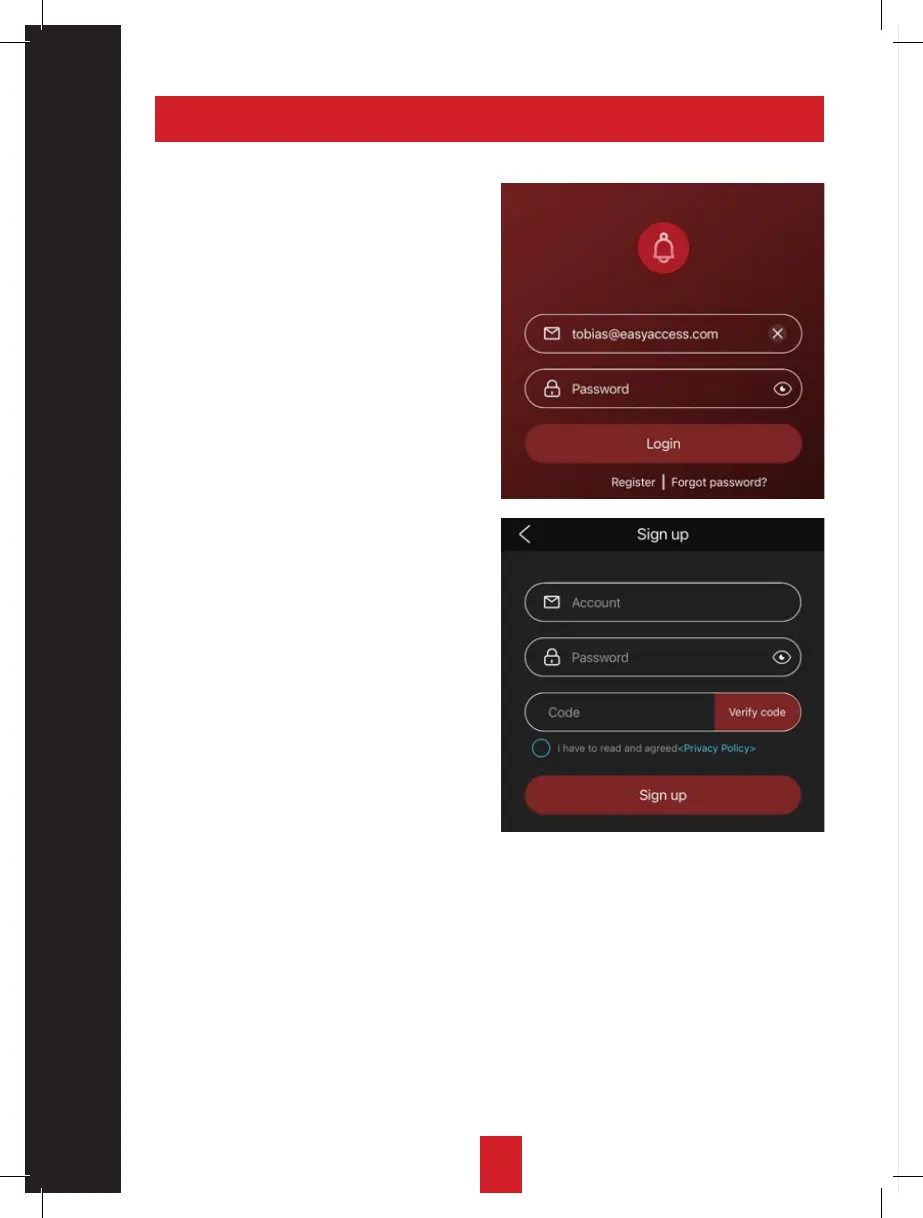
2. In order to register a new account,
tap “register new user”
3. Enter the e-mail address and pass-
word you want to link to the user and
then tap “send code”.
This code will be sent to the registered
e-mail address.
4. Enter the verification code and click
“register” to complete the account
registration.
5. If you forget the password, you can
change it by clicking “Forgotten
password” and following the
instructions.


 To Next Page