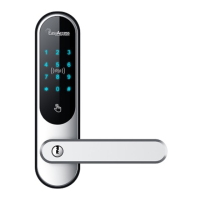
Need help?
Do you have a question about the Easy Access EASYTOUCH 808 and is the answer not in the manual?
Watch installation and programming videos for product assembly and setup guidance.
Lists required tools and highlights the importance of the mechanical emergency key.
Steps for installing the lock case, bracket, and external unit, including gasket placement.
Details on attaching the interior unit, connecting cables, and inserting batteries correctly.
Sequences for programming the first, second, and third admin user codes.
Procedure to add standard PIN code users with specific user IDs.
Instructions for adding new key cards and deleting existing ones from the lock system.
Steps to remove PIN codes for users, excluding admin codes.
Configure auto-locking and temporary unlocking features for convenient access.
Adjust lock volume and understand the function of the interior power button.
Activate anti-tamper features and hide PIN codes for enhanced security.
Instructions for replacing batteries when the lock indicates low power.
 General
| Brand | Easy Access |
|---|---|
| Model | EASYTOUCH 808 |
| Category | Locks |
| Language | English |


 To Next Page