EasyManua.ls Logo

easyFIND mini GPS Tracker - 1.2 Product Interface; 1.3 In the Box

easyFIND mini GPS Tracker
10 pages
Print Icon
To Next Page IconTo Next Page
To Previous Page IconTo Previous Page
Loading...
USER GUIDE
3
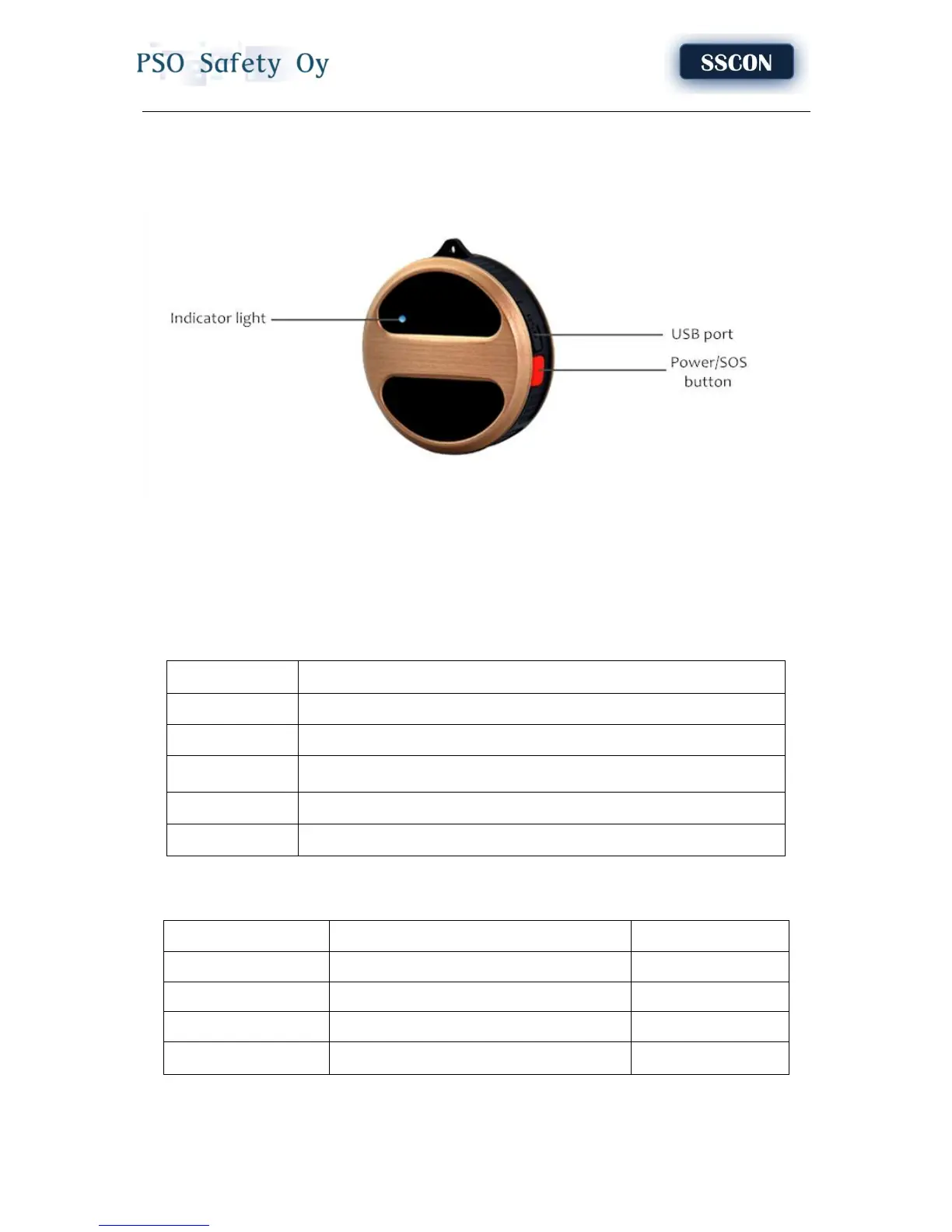
1.2 Product interface
1. USB port: Connect one end of charging cable to the GPS tracker and the other end to computer or
5V USB charger for charging;
2. Power/SOS button: Power on/off the GPS tracker; Initiate a SOS emergency call.
3. Indicator light: Indicator light will indicate the different status of the GPS tracker, below are the
details,
Device Status
Light status
Charging
Light on when charging; lights off when fully charged;
Normal work
Light off
GSM fault
Light flashing, restart every ten minutes
Emergency help
Light on after pressing red button for 3 seconds If SOS number is set successfully.
No power
Light off and no sound when press the power button
1.3 In the box
Item list
Accessories
Quantity(piece)
1
GPS tracker
1
2
Quick User Guide
1
3
USB cable
1
4
Screw driver
1