EasyManua.ls Logo

Easyfone C512W - Reset settings; Restore factory settings; Troubleshooting

Easyfone C512W
80 pages
Print Icon
To Next Page IconTo Next Page
To Previous Page IconTo Previous Page
Loading...
63
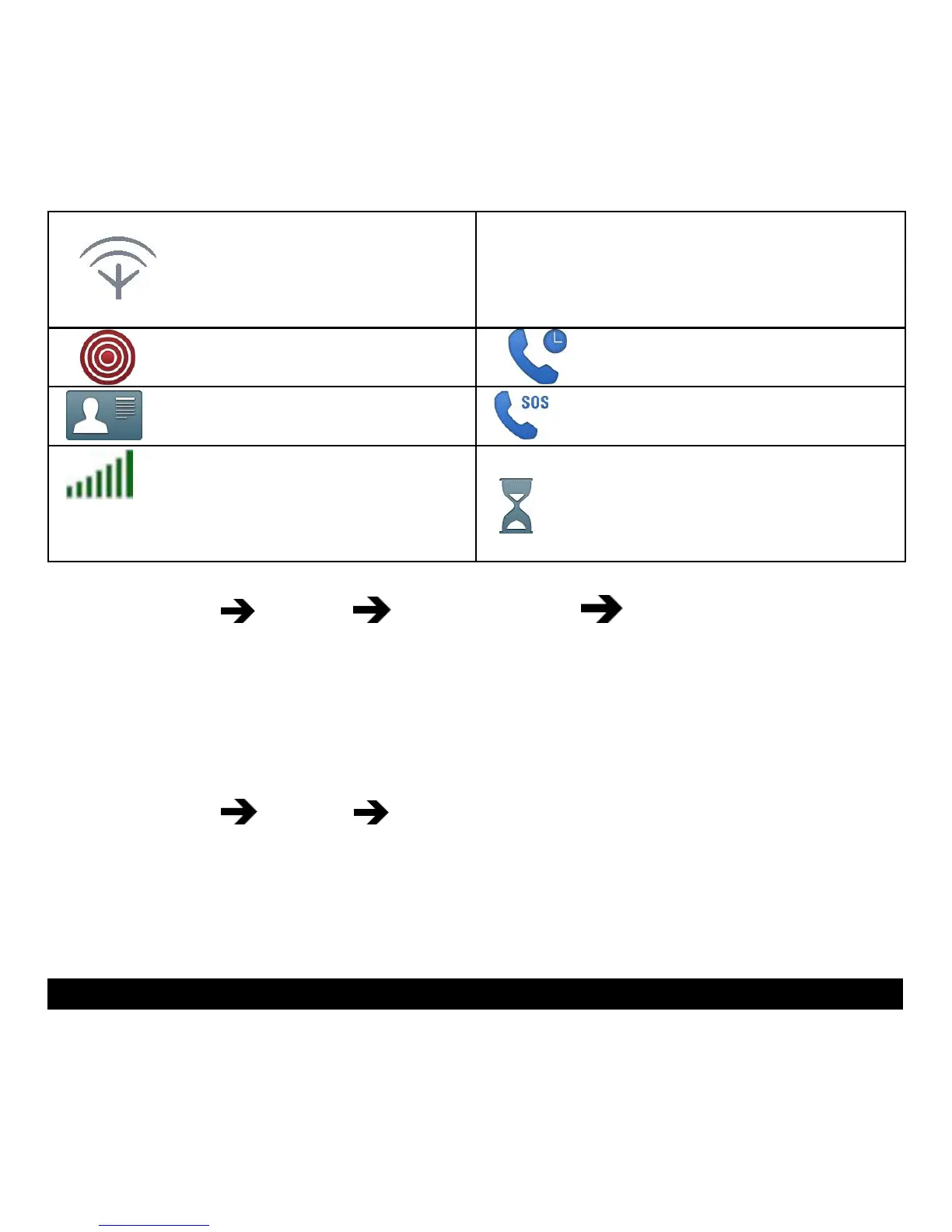
Searching
Missed call. Press Read to see
the missed calls.
Assistance button call
Call on-hold
vCard message
Outgoing SOS call
Volume control
Processing, please wait
Reset settings
1. Press Menu Settings Phone s.ettings Restore factory settings
2. Select Reset settings to reset the phone settings. All the changes that
you have made to the phone settings will be reset to default settings.
3. Enter the phone code and press OK to reset.Tip: The default phone
code is 1234.
Reset all
1. Press Menu Settings Security.
2. Select Reset all to delete phone settings and content such as con-
tacts, number lists and messages (SIM memory is not affected).
3. Enter the phone code and press OK to reset.
Tip: The default phone code is 1234.
Troubleshooting

Table of Contents

Related product manuals