21 EN
Cleaning and Storage
PLEASE NOTE
■ No liquid must be allowed to enter the device. Never immerse the device in water!
■ Only ever wipe down the lens with a soft cloth.
■ Do not use any corrosive or abrasive cleaning agents!
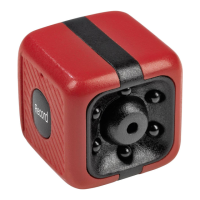
• Wipe down the camera (1) with a clean, slightly damp cloth if necessary.
• Store the camera out of the reach of children and animals in a dry, clean, cool but
frost-free place.
Technical Data
Article number: 04809
Model number: YDSXT
Battery: Li-Po battery; 200 mAh; 3.7 V DC
Charging voltage: 5 V DC
Interface: Micro USB
Photo fi le format: JPG
Video fi le format: AVI
Film resolution: 720 p
Frame rate: 30 fps
Video coding: MJPG
Image resolution: 1.3 m pixels
System requirements: Microsoft Windows XP/7/8
Recording length: max. 45 minutes
Operating temperature: 0°C – 40°C
Memory card: microSD card, 8 GB
ID of instructions: Z 04809 M DS V1 1218
Disposal
Dispose of the packaging material in an environmentally friendly manner so that
it can be recycled.
This device is governed by the European Directive 2012/19/EU on waste
electrical and electronic equipment (WEEE). Do not dispose of the device
with built-in battery as normal domestic waste, but rather in an environ-
mentally friendly manner via an offi cially approved waste disposal com-
pany.
04809_de-en-fr-nl_A5_V1.indb 2104809_de-en-fr-nl_A5_V1.indb 21 18.01.2019 14:14:3918.01.2019 14:14:39


 To Next Page