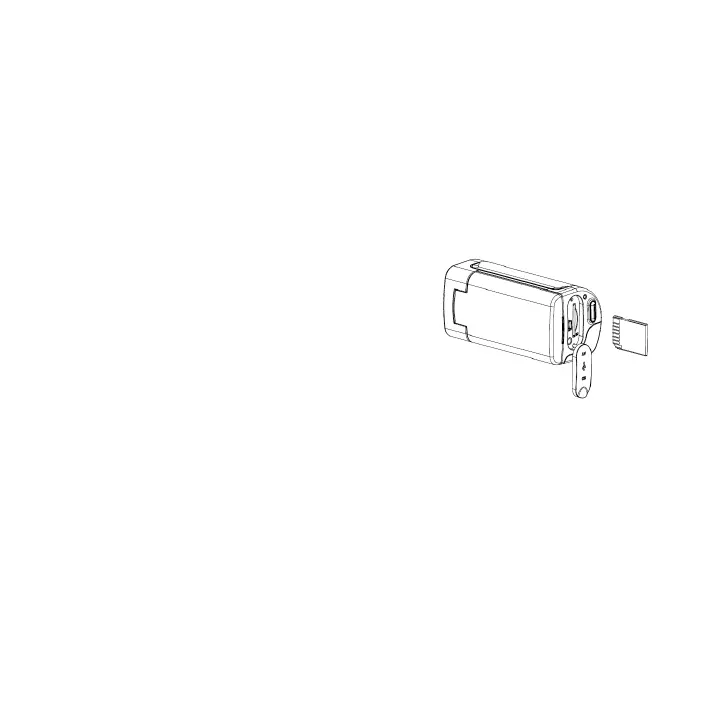
Inserting the Memory Card
This digital video camera has no internal memory, it can’t take pictures and
video clips. if you want to record files please use a SD or MMC card. Turn
off the camera before inserting or removing the memory card. Be sure to
orient the card correctly when inserting it.
1.
Turn off the video camera.
2.
Find the rubber cover at the back of
the video camera, open the rubber,
and then you will see the SD card
slot;
3. Insert the memory card as illustrated.
6














 To Next Page