EasyManua.ls Logo

Easypix EasyPad Junior 4.0 - User Manual

Easypix EasyPad Junior 4.0
20 pages
Print Icon
To Next Page IconTo Next Page
Loading...
!
!
ENGLISH!
EN!1!
User Manual
Congratulations for buying EasyPad Junior 4.0!
Thank you very much for your trust and your decision to buy an Easypix product!
!
As we constantly update and improve EasyPad there may be small
differences between the printed manual and your EasyPad in some cases.
You have the option of downloading the current version of the manual
and firmware updates for your EasyPad from our website www.easypix.eu.

Other manuals for Easypix EasyPad Junior 4.0

Question and Answer IconNeed help?

Do you have a question about the Easypix EasyPad Junior 4.0 and is the answer not in the manual?

Summary

Safety Instructions

Device Handling Precautions

Keep the device away from high temperatures, humidity, dust, and avoid shocks or drops.

Device Maintenance and Warranty

Do not open the device housing; use a dry cloth for cleaning.

Device Overview

Description of Buttons

Volume Buttons

Increase or reduce the device volume.

Power Button

Switch on/off, activate/end standby mode, or restart the device.

Power Monitoring and Connectivity

Battery Charge Indicator

Understand the battery charge status and charging time.

Computer Data Transfer

Connect the device to a computer via USB for data transfer.

User Interface Button Functions

System Settings

Wi-Fi Configuration

Steps to turn on and connect to Wi-Fi networks.

Security Settings

Set security passwords to prevent unauthorized access.

Backup and Reset Options

Secure data and reset the device to factory settings.
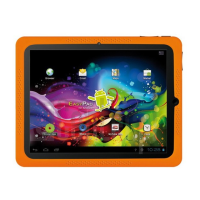
Easypix EasyPad Junior 4.0 Specifications

General IconGeneral
BrandEasypix
ModelEasyPad Junior 4.0
CategoryTablet
LanguageEnglish

Related product manuals