%
Manual%transfer%of%photo%and%video%files%to%compute r %
%
1.!Turn!on!the!camera,! !
2.!Select!playback!mode!
3.!Connect!the!camera!to!a!computer!via!a!USB!cable,! !
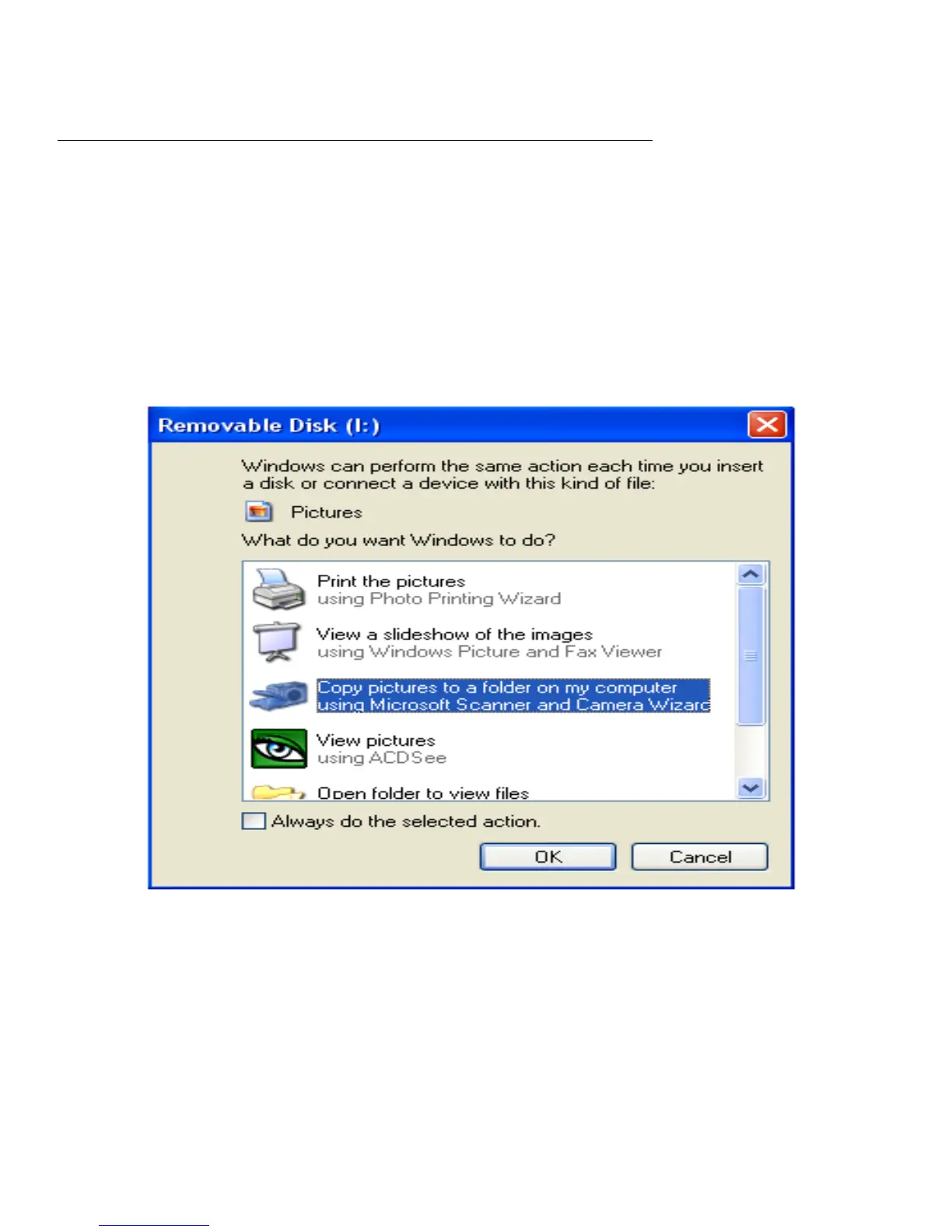
4.!The!removable!disc!image!will!pop!up!on!the!screen!as!shown!below!
5.!Click!the!removable!disk!to!view!the!photos,!which!will!be!stored!in!the!sub!file!of!DICM.!
6.!You!can!the!copy!and!paste!the!photos!to!your!chosen!folder!or!location.!
!
%
%
%
%
%
%
%
%
%
%
%
!
!
!
%
%
%
%
%
%
%
%
%
%




 To Next Page