Photo%shooting%
To!capture!a!photo!press!the!shutter!key!
There!will!be!a!slight!delay!while!the!photo!is!stored!on!the!memory!card.!
After!taking!a!photo,!the!number!displayed!on!the!screen!indicates!how!many!more!photos!
can!be!taken!considering!the! current!settings!an d!the!size!of! the!memory! card!installed! in !the!
camera!at!that!time.!
A!message!will!be!displayed!on!the!screen!when!the!SD!card!is!full.!
To!continue,!please!transfer!all!data!on! the!SD!card!to!your!co m pu ter!or!insert! a!new!memory!
card.!
!
Digital%zoom%
Your!camera!features!a!4x!digital!zoom.! !
Press!the!up!button!to!zoom!in!and!the!down!button!to!zoom!out.!
!
Built-in%Flash% %
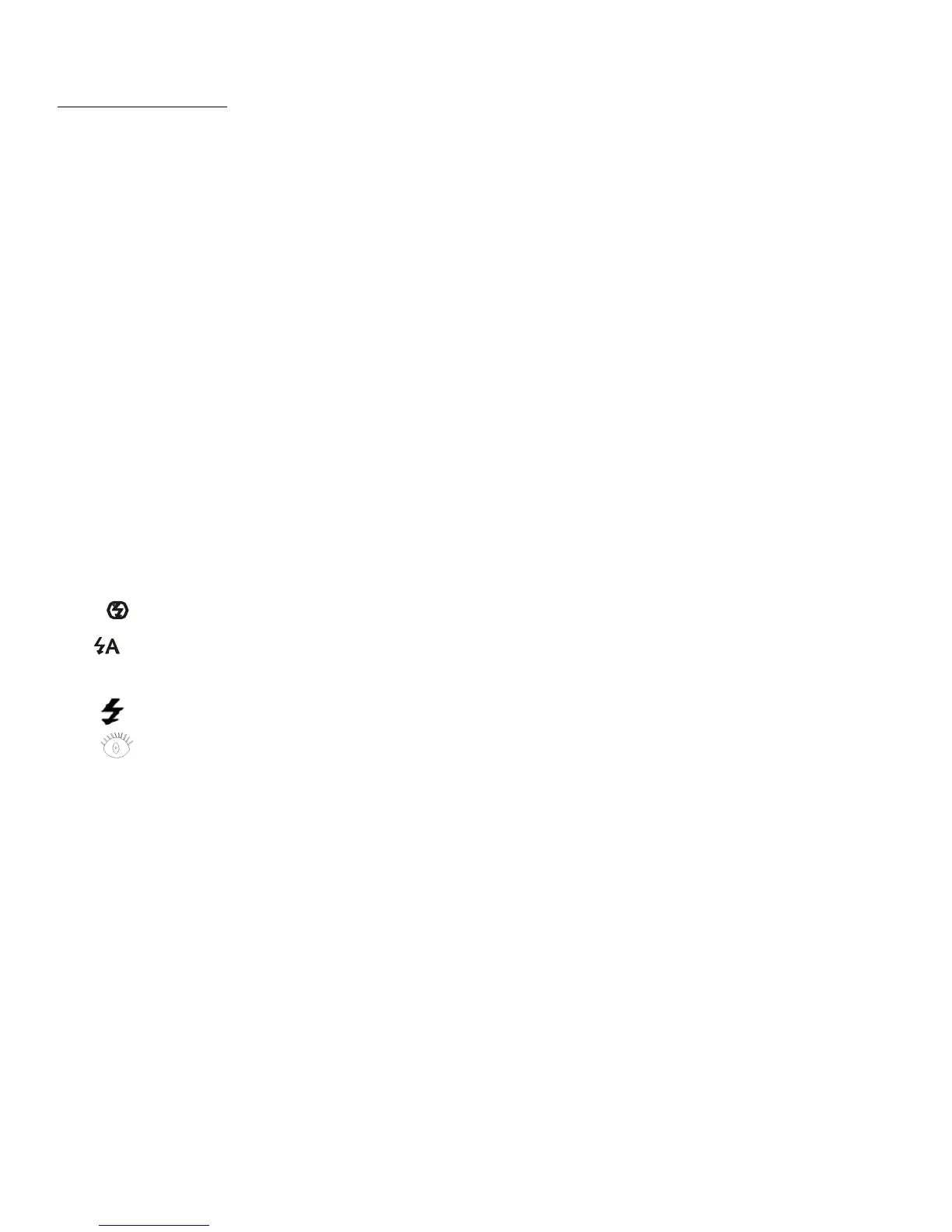
Press!the!‘Flash’!key!to!activate!the!various!flash!modes.!
The! ! icon!indicates!‘Flash!Off’.! T he!flash!will!no t ! operate!when!th is ! m ode!is!selected.!
The ! icon!indicates!‘Auto!Flash ’!mode!and !the!camera!w ill!activate!the!flash!automatically !
if!required!in!low!light!conditions.!
The! ! icon!indicates!‘Flash!Mode’!and!the!flash!will!operate!every!time!a!photo!is!taken.! !
The! ! icon! indicates! ‘Anti- Red! Eye’! mode.! The! camera! flash! will! operate! a! flash! burst! to!
reduce!the!red!eye!effect!in!your!photos.!
!
Scenes%
The!following!‘Scene’!modes!are!available!to!facilitate!photo!capture!in!different!
environments:! !
Auto,!night!landscape!portrait,!night!landscape,!portrait,!landscape,!sports,! !
party,!beach!or!high!sensitivity.!
If!required,!you!can!select!a!mode!that!best!matches!the!conditions!you!are!shooting!in.! !
!
!
!















 To Next Page