ProneMPS, Supine, TT
Page 19
50. If the dual control option was ordered,
insert handle and cable behind the support
bracket and leg bracket.
51. Pull handle and cable through between
the pad and the leg bracket as shown.
50
51
49. If the multi-adjustable foot plates were
ordered, loosen ratchet handle on foot
plate, place foot plate bracket onto the leg
as shown, place in desired position and
tighten ratchet handle securely. Repeat
steps for other foot plate.
49
Platform Foot Plate
If a Prone model was ordered, skip to step 55.
MPS, Supine, TT
MPS, Supine, TT
Page 20
52. Guide cable up behind pad. Make sure
to guide cable on the back side of the push
handle.
53. Remove bolt from the controller handle,
place controller handle onto the push
handle as shown. Insert bolt through the
hole and tighten to the controller handle.
53
52
54. Use zip tie to secure cable to lower part
of the push handle.
54
MPS, Supine, TT
MPS, Supine, TT
MPS, Supine, TT
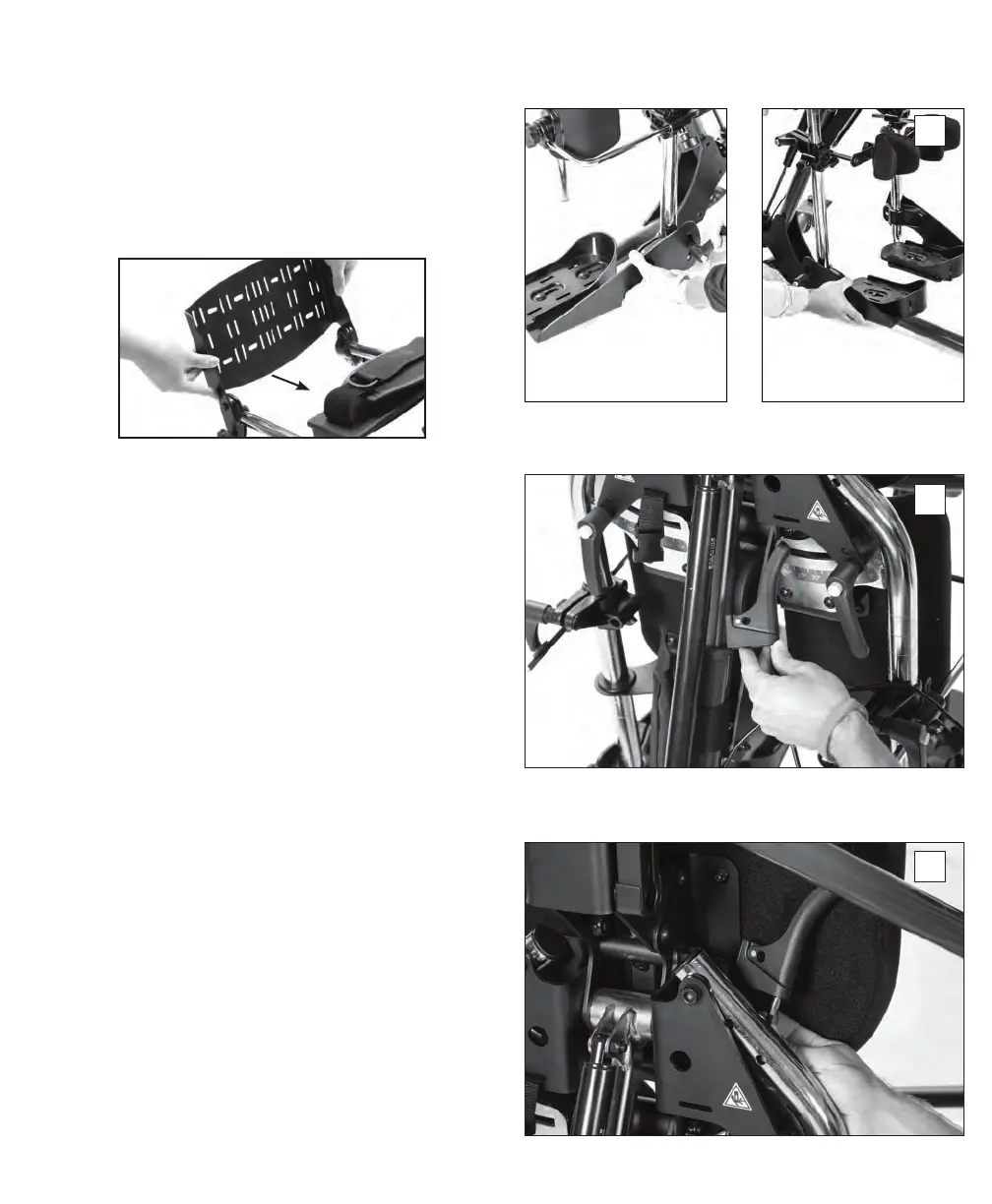
Loosen knobs and place onto legs as shown.
Tighten knobs securely when in position.


 To Next Page