
 Need help?
Do you have a question about the EasyStand Zing and is the answer not in the manual?
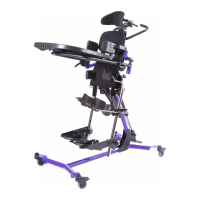
Describes the product's purpose and intended users.
Specifies user weight and height ranges for Zing Size 2.
Details product function and adjustment capabilities.
Covers user qualifications, attendant needs, and weekly inspections.
Details environmental parameters for use and storage.
Highlights risks like loose hardware, modifications, and bystanders.
Steps for unboxing, removing packaging, and initial base connection.
Instructions for connecting the mast and attaching the foot pedal.
Covers placing the unit on wheels and connecting Pow'r Up/Gas Spring.
Procedures for adjusting the brace to allow mast expansion.
Details inserting and tightening bolts for the brace.
Instructions for attaching the leg assemblies to the unit.
Steps for attaching upper body support for specific models.
Attaching the upper body support pad for Tilt Table models.
Securing the Tilt Table upper body pad and head support bracket.
Attaching chest strap and preparing for Prone model.
Attaching support, aperture, and tray for Prone models.
Attaching tray components for Prone and MPS models.
Adjusting and securing MPS tray and swing-away options.
Finalizing MPS tray arm and knob attachments.
Attaching Prone tray brackets and lateral supports.
Attaching hip supports and multi-adjustable knee pads.
Attaching foot plates and the dual control system.
Routing cables for dual control on MPS/Supine models.
Routing cables for dual control on Prone models.
Instructions for connecting and charging the Pow'r Up lift battery.
Information on battery replacement intervals and IP rating definition.
Overview of EMC requirements and potential interference.
Details on immunity standards and separation distances for RF equipment.
Details on emissions standards and suitability for various environments.
Adjusting tray height and depth for different tray types.
Adjusting angle and swing-away function of the tray.
Adjusting hip supports width/fore-aft and lateral supports width/height.
Adjusting calf pads with knee straps and multi-adjustable knee pads.
Adjusting depth and height of independent calf pads.
Adjusting upper body support pad and head support depth/angle/height.
Adjusting leg abduction and face aperture height/angle/width.
Adjusting height, straps, and holders for platform foot plates.
Adjusting height, tilt, and positioning of multi-adjustable foot plates.
Adjusting positions and operating dual control.
Operating the gas spring lockout and directional locking caster.
Instructions for cleaning the EasyStand with mild disinfectants.
Guidelines for cleaning and disinfecting special fabric covers.
Details warranty coverage duration and exclusions.
Procedures for obtaining warranty service and contact information.
Guidelines for recycling and disposing of the product after its lifespan.
 General
| Brand | EasyStand |
|---|---|
| Model | Zing |
| Category | Baby & Toddler Furniture |
| Language | English |

 To Next Page