EasyManua.ls Logo

Eaton DPCT - Page 33

Eaton DPCT
64 pages
Print Icon
To Next Page IconTo Next Page
To Previous Page IconTo Previous Page
Loading...
25
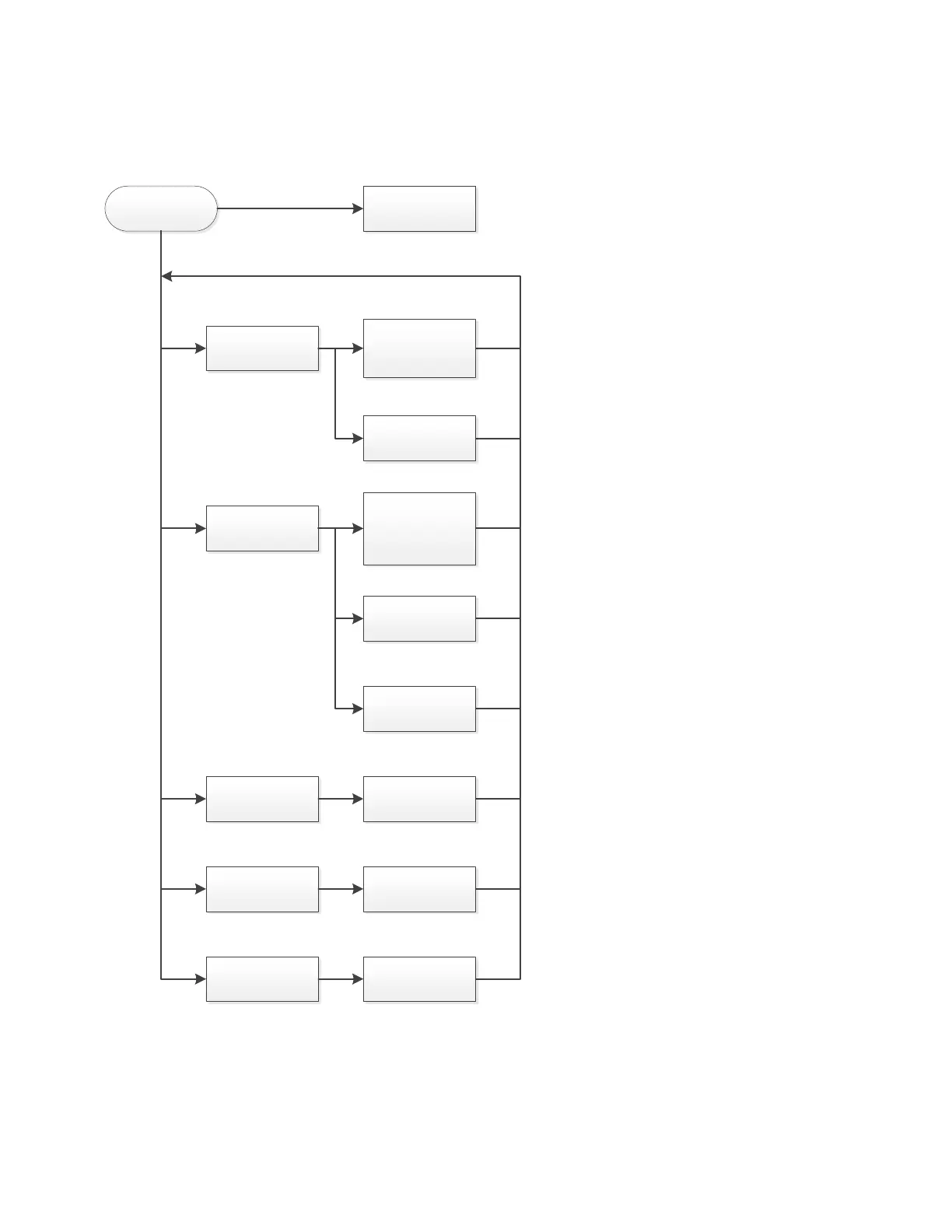
Appendix C (b): Panel setup tab menu structure continued
DPCT IOM INSTRUCTION OPERATION MANUAL MN124018EN January 2023 www.eaton.com
Appendix C (b): Panel setup tab menu structure continued
Panel Setup
Notification Area
Foam Controller
Menu Password
Common Alarm
Controller Serial
Number
Select the alarms
that will activate
the Common
Alarm
Select the
indication that will
appear in the
Notification Area
Enable or Disable
F oam Operation
Set Password
Set Controller
Serial Number
Enable or Disable
the audible alarm
Select the
indications LED
color
Enable or Disable
flashing for the
indication
Go to Appendix C
(c)
ote: N Pressing the Back or Cancel button when available will return the screen to the previous option.

Related product manuals