16
Technical Data 25-16733-A
Effective October 2019
Installation and operation manual for
conventional fire panels
EATON www.eaton.com
Battery Connections
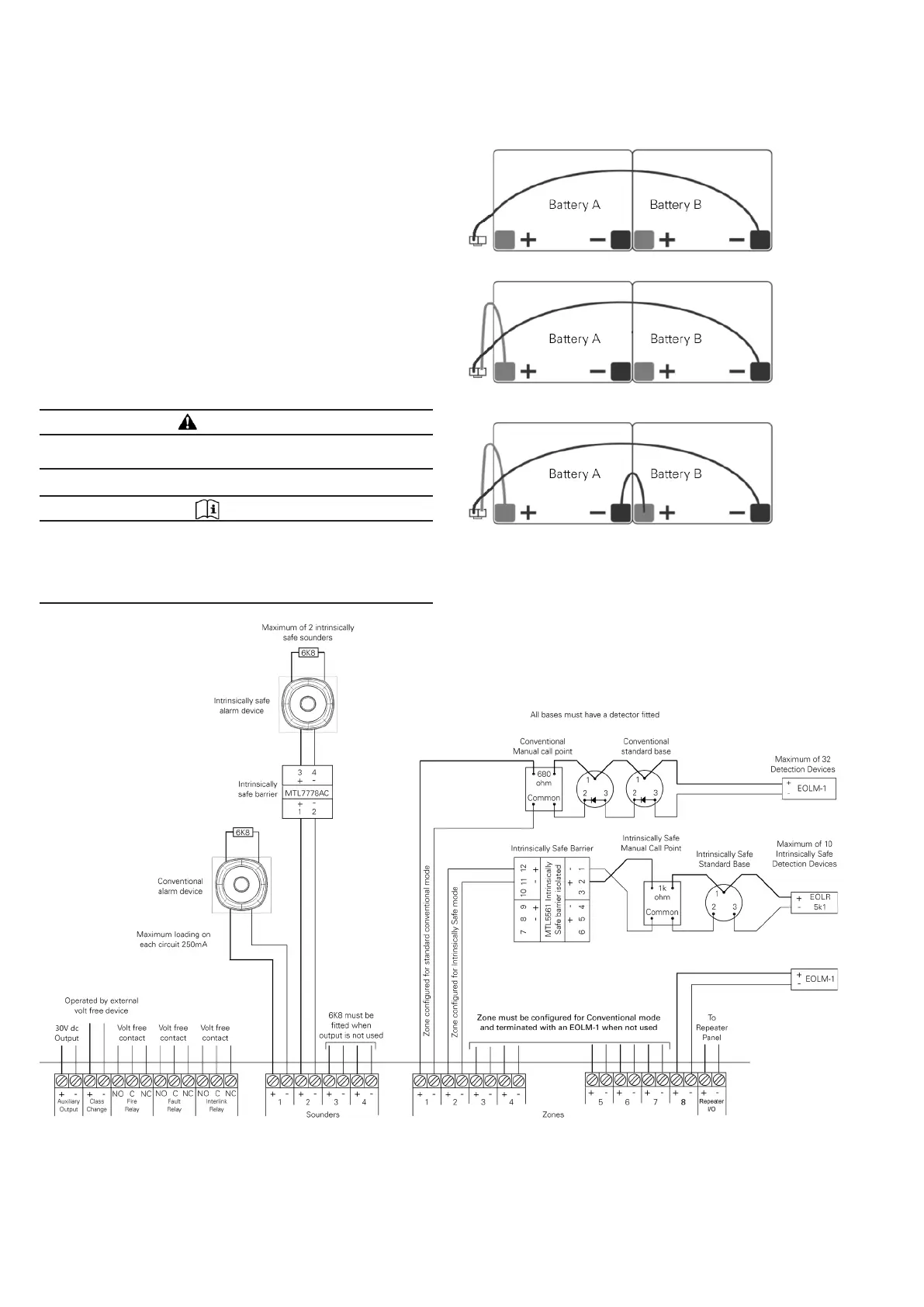
1. Connect the BLACK battery wire to the BLACK (-) battery
terminal of Battery B (Figure 21)
2. Connect the RED battery wire to the RED (+) battery
terminal of Battery A (shown as grey)
3. Connect the link cable between the two remaining
terminals
Connecting the Zone Cables
Connect the cables (clearly labelled with the zone numbers) to the
appropriate zone +/- terminals, observing the correct polarity (see
Figure 22).
If any of the zones are not used then the EOLM-1 must remain
fitted to the terminals of that zone to ensure the system remains
fault free.
CAUTION
DO NOT USE A HIGH VOLTAGE TESTER WHEN WIRING IS
CONNECTED TO ANY ELECTRONIC EQUIPMENT.
NOTE
IT IS IMPORTANT THAT ZONE CABLING IS CONNECTED
TO THE CORRECT ZONE INPUT OTHERWISE ANY FIRE OR
FAULT INDICATION ON THE PANEL WILL NOT MATCH THE
ZONE MAP OF THE SITE, AND WILL NOT BE COMPLIANT
WITH BS5839
Figure 21. Battery Connection
Figure 22. Panel Wiring Diagram



 To Next Page