EasyManua.ls Logo

Eaton HTP-SC16x - User Manual

Eaton HTP-SC16x
36 pages
Print Icon
To Next Page IconTo Next Page
Loading...
DRAFT - 11 December 2014
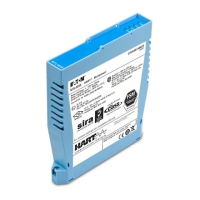
MTL4850 and MTL4854
HART® Connection Systems
March 2015
INM 4850_54 Rev4
Instruction Manual
MTL HART
®
Interfacing Solutions
Question and Answer IconNeed help?

Do you have a question about the Eaton HTP-SC16x and is the answer not in the manual?

Summary

Declaration of Conformity

General Safety Information

Safety instructions for installation and operating personnel

Essential safety instructions for installation, operation, maintenance, and servicing.

1 Introduction

2 Description

2.3 Connection methods

Details three methods for linking HART signals: integrated unit, HART interface, or IS isolator backplane.

3 Safety Information

3.1 Precautions - General

General warnings and precautions for installation in hazardous areas and compliance with standards.

4 Installation

4.2 HMP-HM64 HART interface

Describes the HMP-HM64 as a HART interface for connection units and backplanes, supporting up to two multiplexer modules.

4.6 CPH-SC16(R) and CPH-SC32(R) backplanes

Covers backplanes for MTL4500 modules, supporting HART multiplexer modules for 16 or 32 channels.

4.10 Backplanes - connections

Covers hazardous area field wiring and safe area control system connections, including power supply and wiring details.

4.12 RS485 connection

Explains the RS485 physical layer, its use in the MTL4850 system, and data converter options.

5 Modules

5.1 MTL4850;54 - installation

Instructions for installing MTL4850/54 modules onto the backplane, ensuring proper seating.

5.3 MTL4850;54 module parameters

Covers setting and configuration of module parameters, including HART address and operation at power-up.

6 Fault Finding and Routine Maintenance

6.2 Fault finding on custom backplanes

Steps for troubleshooting faults on custom backplanes, including checking LEDs and swapping modules.

6.3 Routine maintenance

Advises on checking installation condition and components periodically to ensure proper function.

7 Software Connectivity

7.2 Communication modes

Discusses communication modes using Device Driver (DD) files or FDT Technology for IMS packages.

8 Applications Involving Zone 2 Hazardous Areas

8.2 Installation

Outlines installation requirements for Zone 2 areas, including compliance with regulations and special conditions of safe use.

Summary

Declaration of Conformity

General Safety Information

Safety instructions for installation and operating personnel

Essential safety instructions for installation, operation, maintenance, and servicing.

1 Introduction

2 Description

2.3 Connection methods

Details three methods for linking HART signals: integrated unit, HART interface, or IS isolator backplane.

3 Safety Information

3.1 Precautions - General

General warnings and precautions for installation in hazardous areas and compliance with standards.

4 Installation

4.2 HMP-HM64 HART interface

Describes the HMP-HM64 as a HART interface for connection units and backplanes, supporting up to two multiplexer modules.

4.6 CPH-SC16(R) and CPH-SC32(R) backplanes

Covers backplanes for MTL4500 modules, supporting HART multiplexer modules for 16 or 32 channels.

4.10 Backplanes - connections

Covers hazardous area field wiring and safe area control system connections, including power supply and wiring details.

4.12 RS485 connection

Explains the RS485 physical layer, its use in the MTL4850 system, and data converter options.

5 Modules

5.1 MTL4850;54 - installation

Instructions for installing MTL4850/54 modules onto the backplane, ensuring proper seating.

5.3 MTL4850;54 module parameters

Covers setting and configuration of module parameters, including HART address and operation at power-up.

6 Fault Finding and Routine Maintenance

6.2 Fault finding on custom backplanes

Steps for troubleshooting faults on custom backplanes, including checking LEDs and swapping modules.

6.3 Routine maintenance

Advises on checking installation condition and components periodically to ensure proper function.

7 Software Connectivity

7.2 Communication modes

Discusses communication modes using Device Driver (DD) files or FDT Technology for IMS packages.

8 Applications Involving Zone 2 Hazardous Areas

8.2 Installation

Outlines installation requirements for Zone 2 areas, including compliance with regulations and special conditions of safe use.

Eaton HTP-SC16x Specifications

General IconGeneral
Number of Channels16
Input Voltage24 VDC
Protection ClassIP20
MountingDIN Rail
Operating Temperature-25 to +70 °C

Related product manuals