Please continue reading directly at Step 10.
When there are folders:
CD-R MENU
ROOT
ROOT 0
Folder 1 1
Folder 2 2
Mode Folder Normal
• On the left-hand side – the main folder (“Root”) on the
loaded CD-R/CD-RW
• On the right-hand side – all sub-folders with MP3 or
WMA les on the loaded CD-R/CD-RW (here designated
as “Folder 1“ and “Folder 2“)
• Under the mode select bar
The rst sub-folder on the right-hand side is the rst
to be automatically selected. Press the control buttons
on the remote control to change between the
individual folders; press the “OK” button once to display
the contents of a selected folder.
9 If you have selected a folder to display its contents, then
the following will be displayed in the CD-R menu …
• On the left-hand side – all sub-folders with MP3 or WMA
les (consecutively numbered) on the loaded CD-R/CD-
RW
• On the right-hand side – all titles (consecutively num-
bered) within the currently selected sub-folder
CD-R MENU
ROOT 0 .. 0
Folder 1 0
Volume 1 – Title 1 1
Folder 2 0
Volume 2 – Title 2 1
Mode Folder Normal
10 Press the control buttons and on the remote control
to alternate between the individual titles; press the “OK”
button once to select a title for playback. The selected
title will then be played immediately without having to
press the “Play” button.
Displayed on the television screen …
• “Play ” is briey shown to the left above the CD-R-
Menu
• The currently played title is faded-in to the right above
the CD-R-Menu. This display can be faded out by press-
ing the “Display” button on the remote control once.
• Detailed information concerning the currently played
title is faded in to the left, underneath the CD-R menu,
e.g. the name of the “Artist”, the name of the “Album”, the
“Year” of the recording, etc.
Please note:
Display of the detailed information relating to the cur-
rently played title presupposes that this information
has been stored on the CD-R/CD-RW. No information,
or only limited information relating to a title, will be
displayed, depending on the above circumstance.
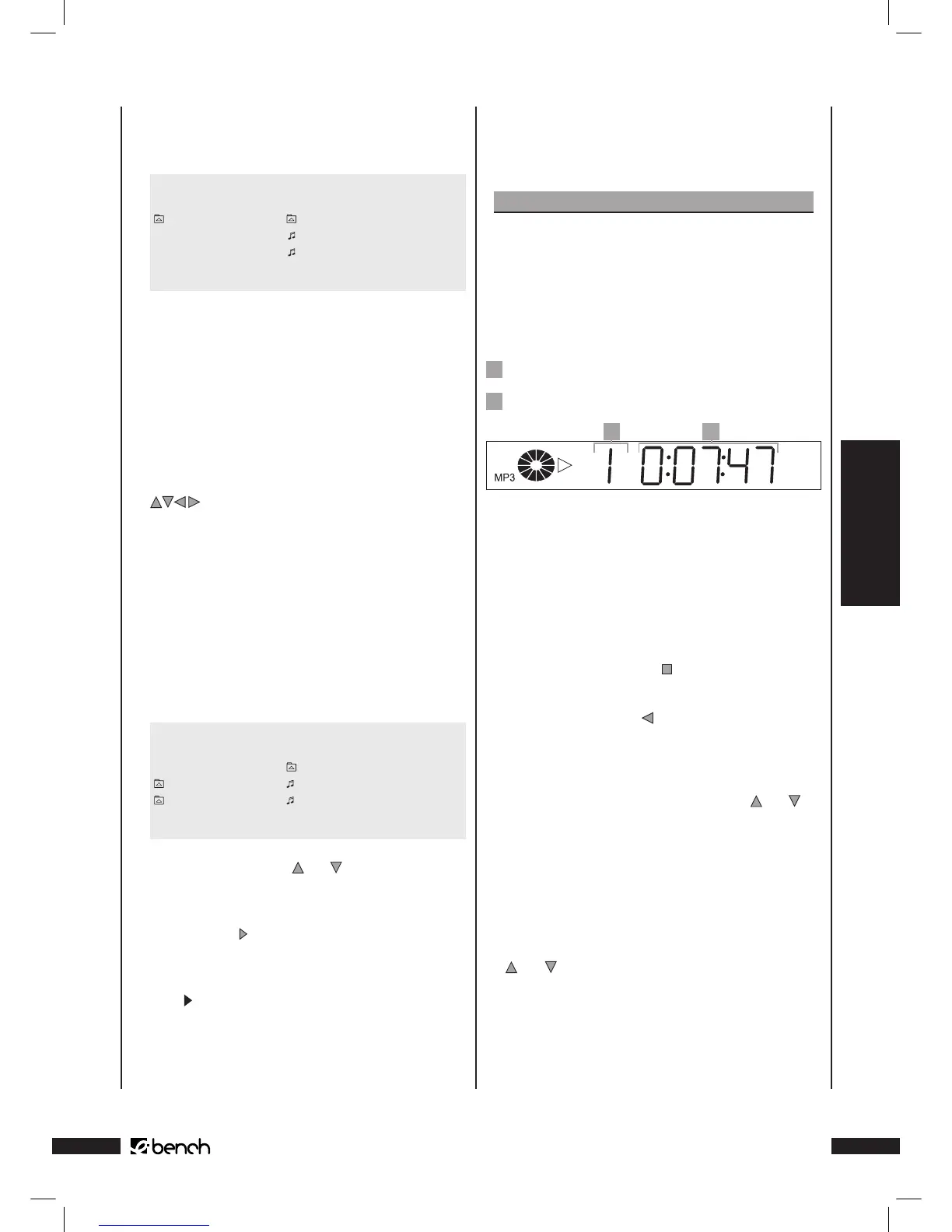
The display on the front of the DVD Player indicates …
1
The number of the currently played title
2
The time hitherto played of the currently played title.
1 2
Changing folders (only if there are folders)
If you wish to play a title from another sub-folder on the CD-
R/CD-RW with MP3 or WMA les it will rst be necessary to
change the current folder to the required folder.
Proceed as follows …
1 If a title is currently being played, then discontinue play-
back by pressing the “Stop” button on the front of the
DVD Player or on the remote control.
2 Press the control button on the remote control once to
change over from the list of titles of the currently selected
sub-folder in the right half of the CD-R menu to the list
of sub-folders in the left half of the menu.
3 Select at this point with the control buttons and the
sub-folder to which you wish to change.
4 Conrm the selection by pressing the “OK” button on the
remote control once.
5 The list of titles in the selected sub-folder are shown in
the right half of the CD-R menu.
6 Select a new title for playback with the control buttons
and and the “OK” button.
7 Press the “Return” button on the remote control to return
to the main directory of the CD-R/CD-RW.



 To Next Page