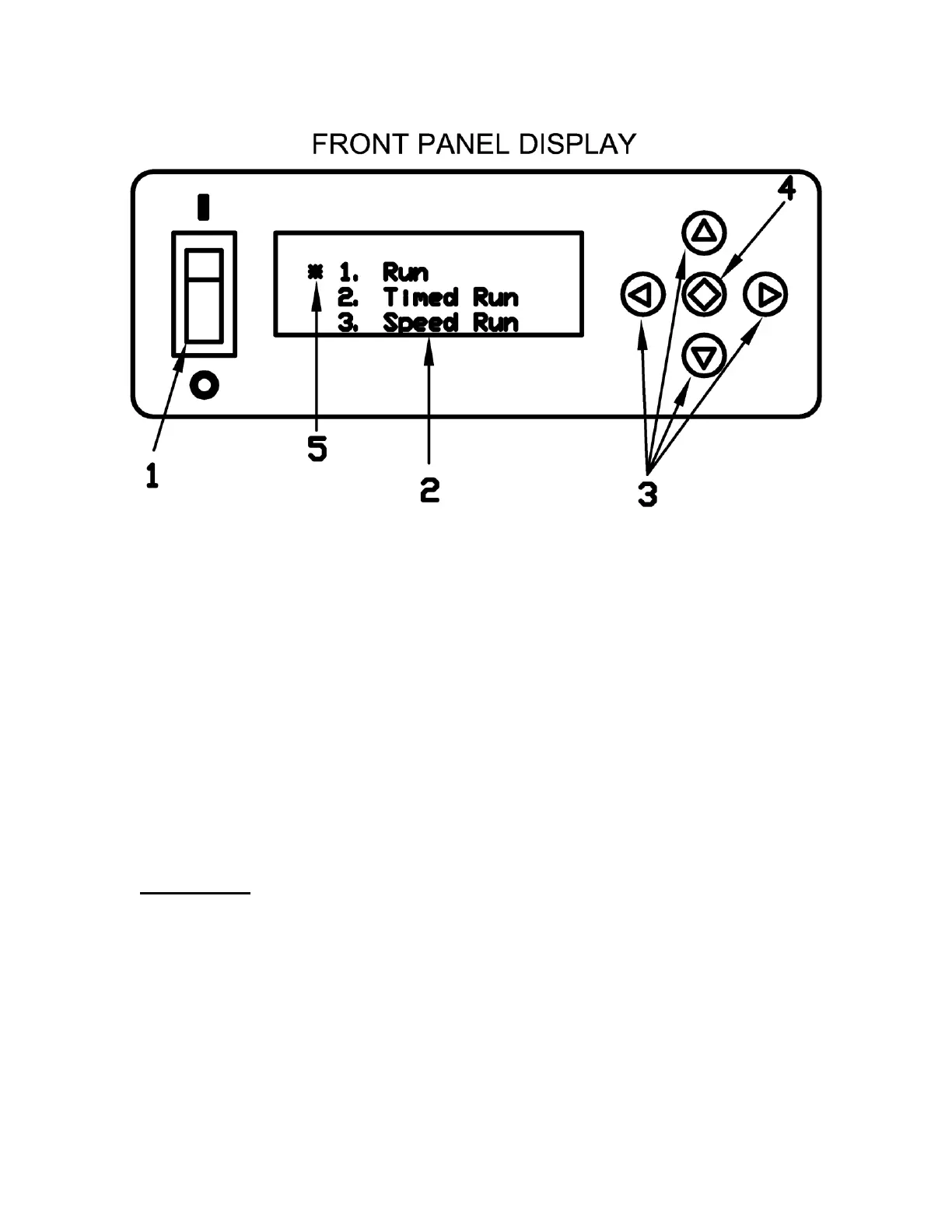
1) Power Switch
2) Liquid Crystal Display (LCD)
3) Directional Pad (D-Pad)
4) Enter Button
5) Cursor
Operation: Press the Power Switch down into the ON position.
The LCD should light up and show the main menu. There are three
different run modes to choose from. Select a run mode by moving
the Cursor (using the D-PAD) and press the Enter Button.


 To Next Page