September 2012 IPV6832
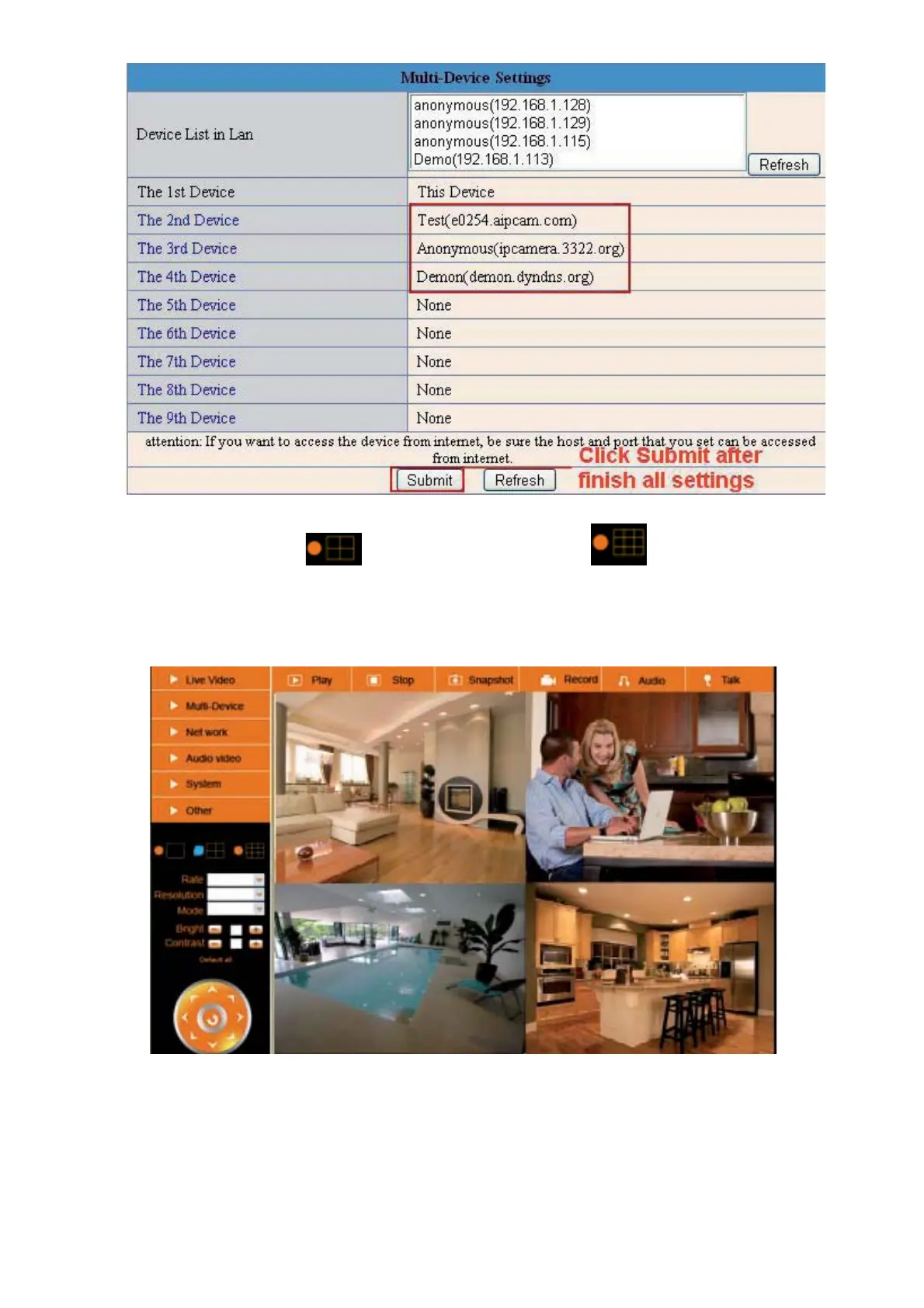
Figure 5.2
Click Live Video and then select
to see four channels, or click to see nine channels.
In this case, you can see all the cameras from a remote position by internet, for example, if you are on a
business trip, you can use the first camera’s (Host camera) DDNS to view all the devices via the internet.
Figure 5.3


 To Next Page