September 2012 IPV6853
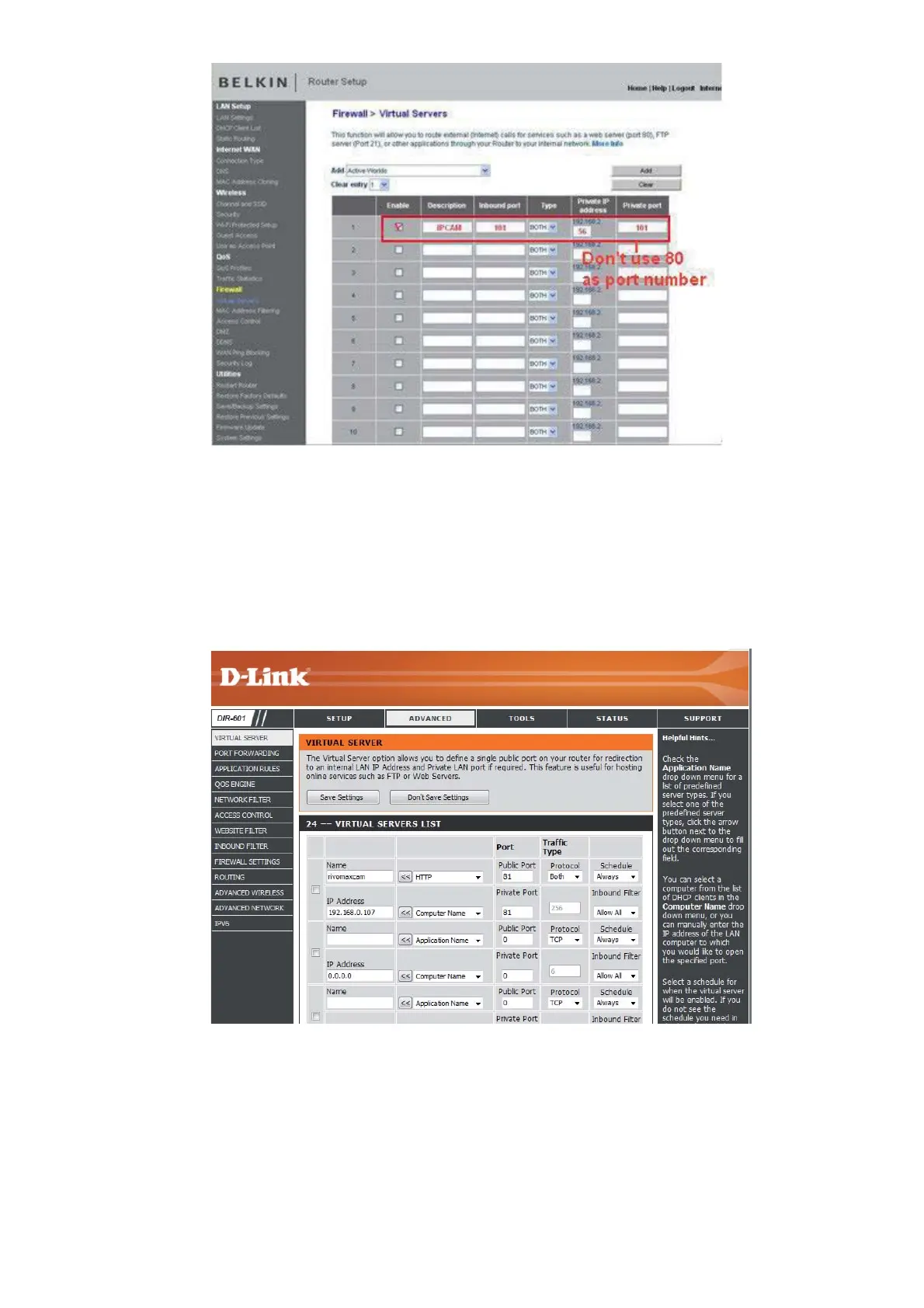
Figure 7.6
DLINK:
1. Login the router.
2. Choose “Advanced”, select “Virtual Servers”
3. Input the port, IP address, Protocol, then click save.
NOTE: The “public port” & “private port” should be the same as camera’s port, choose the protocol to be
“both”.
Figure 7.7
Now you are finished setting up your camera. The next steps explain additional features of your camera and
FAQ.


 To Next Page