September 2012 IPV6854
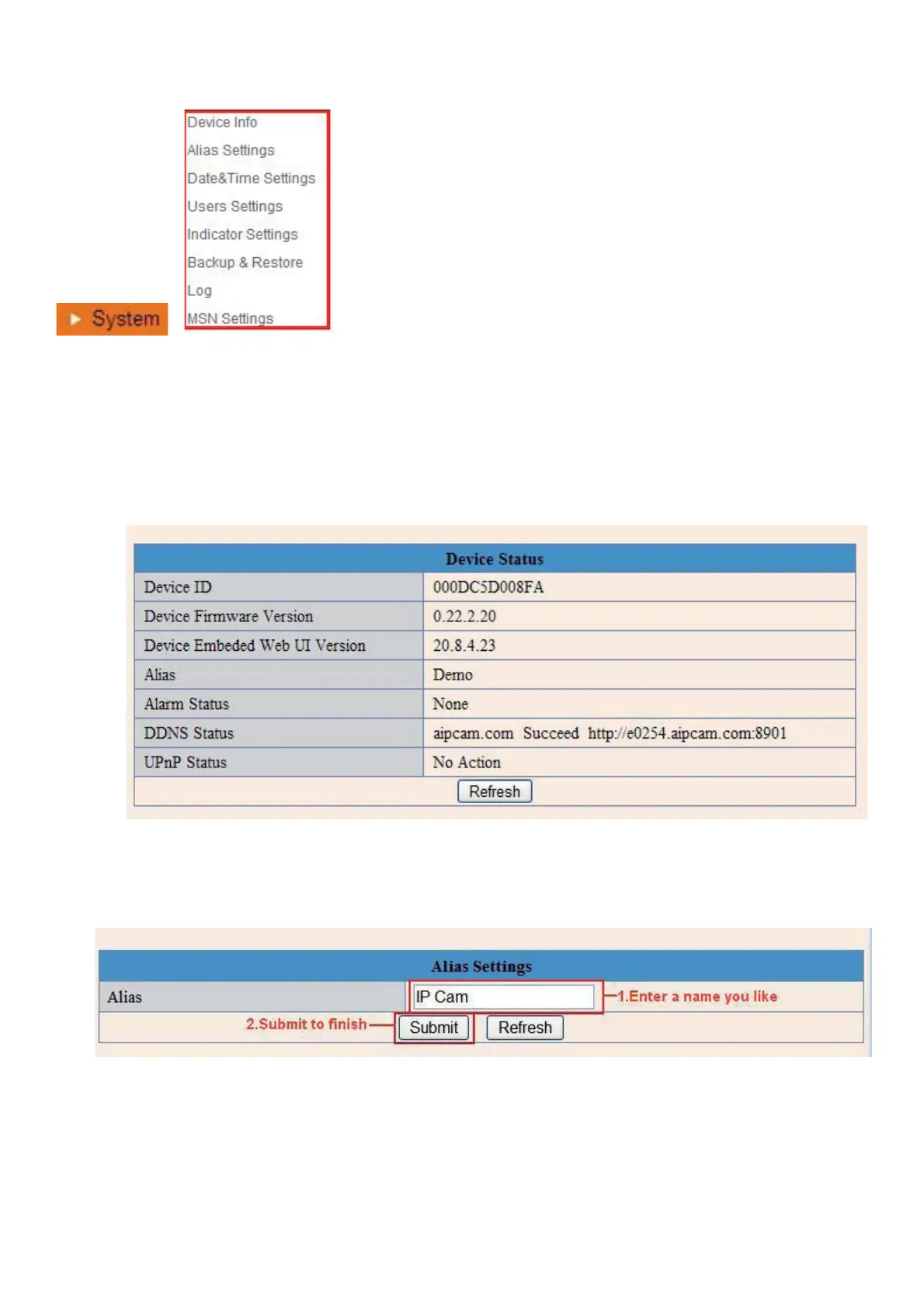
3.8 System Settings
Î
Figure 8.0
3.8.1 Device Info
You can find the information about Device ID, Firmware Version, Embedded Web UI Version, Alias, Alarm
Status, DDNS Status, UPnP Status and MSN status.
Figure 8.1
3.9 Alias Settings
Default device name is anonymous. You set any new name for your camera here, then click Submit.
Figure 8.2
3.10 Date &Time Settings
Set the date and time for your camera.
Choose the Clock Time zone of your country.
You can choose Sync with NTP Server (Figure 8.3) or Sync with PC Time (Figure 8.4).


 To Next Page