CPX220NWB ALARM CONTROL UNIT – INSTALLER MANUAL 97 / 123
Condition of zones
Condition of outputs
Equipment type/ serial number
PCB version
Equipment time
Changes of all parameters are also displayed in a text form in ‘Log’ box.
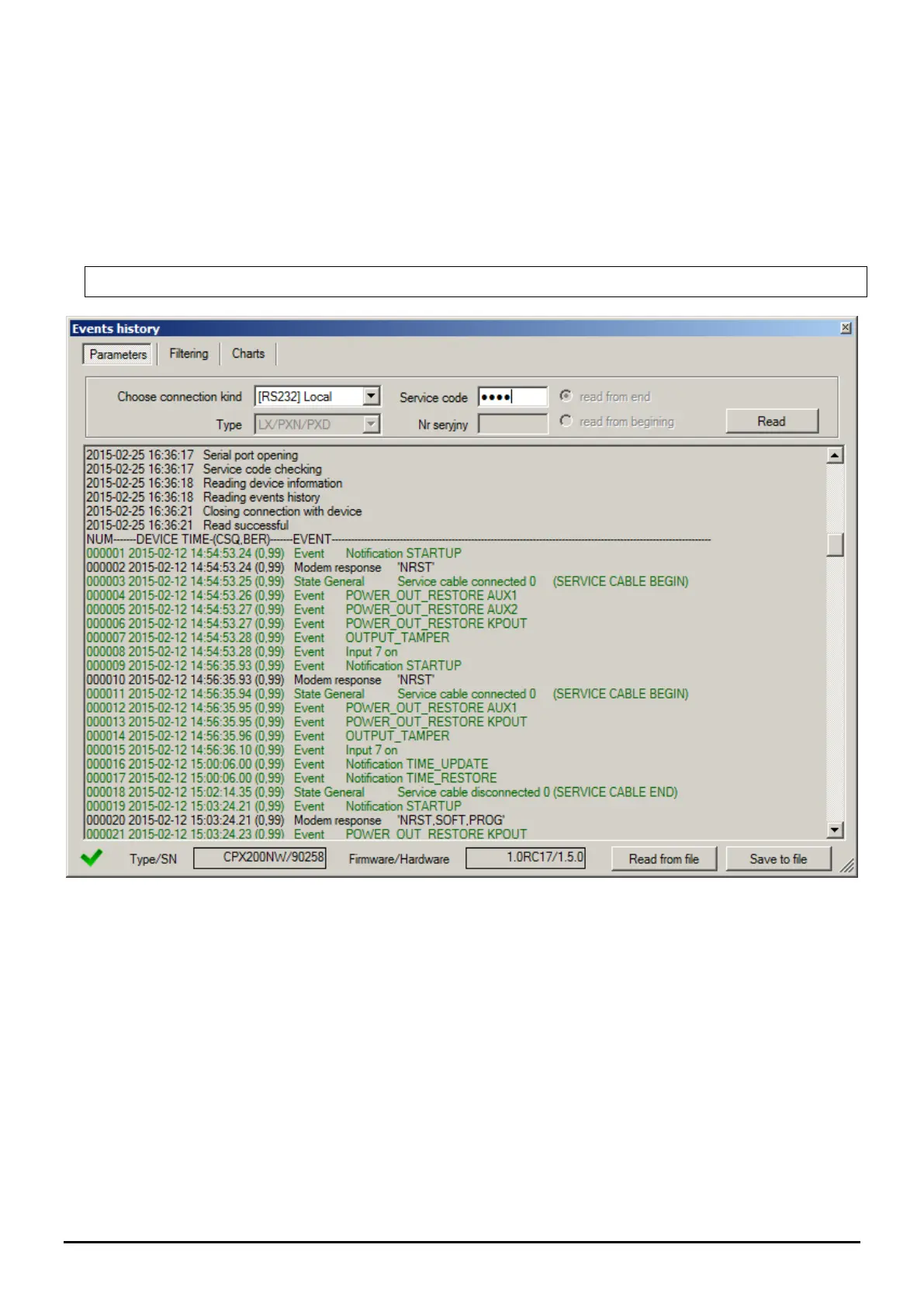
6.12. EVENTS HISTORY
The function enables to read out the events lately recorded in the memory of the
equipment. The control unit has an event log memory where about 5 thousand technical
events can be recorded. You can review the events history via GPRS and RS232 connection.
In the second situation, first you have to connect the equipment to a PC computer via GD-
PROG cable. Then, in the “Event History” box select an appropriate RS232 port or GPRS
connection, enter access code and click “Read” button. After correct reading you will get the
access to “Filtering” and “Graphs” functions which allow you a quick diagnosis of the
equipment.


 To Next Page